
Asynchronous Messaging for Customer Service
Struggling with overloaded live chat and slow responses? Learn how asynchronous messaging customer service combined with video escalation helps teams reduce pressure, improve resolution quality, and scale support. Discover how Scrile Meet enables businesses to build a branded hybrid support platform with messaging, video, and monetization in one system.

asynchronous messaging customer service
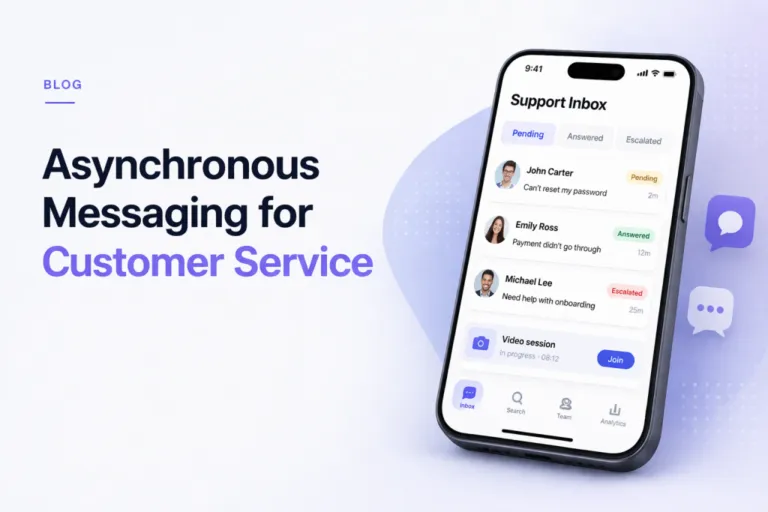
Asynchronous messaging customer service lets customers send messages without staying in a live session, so agents can respond with context instead of rushing replies. It reduces overload by removing real-time pressure. In a hybrid model, async messaging handles most requests, while complex cases escalate to video. This works best for support-heavy services, marketplaces, and consulting platforms where speed and quality both matter.
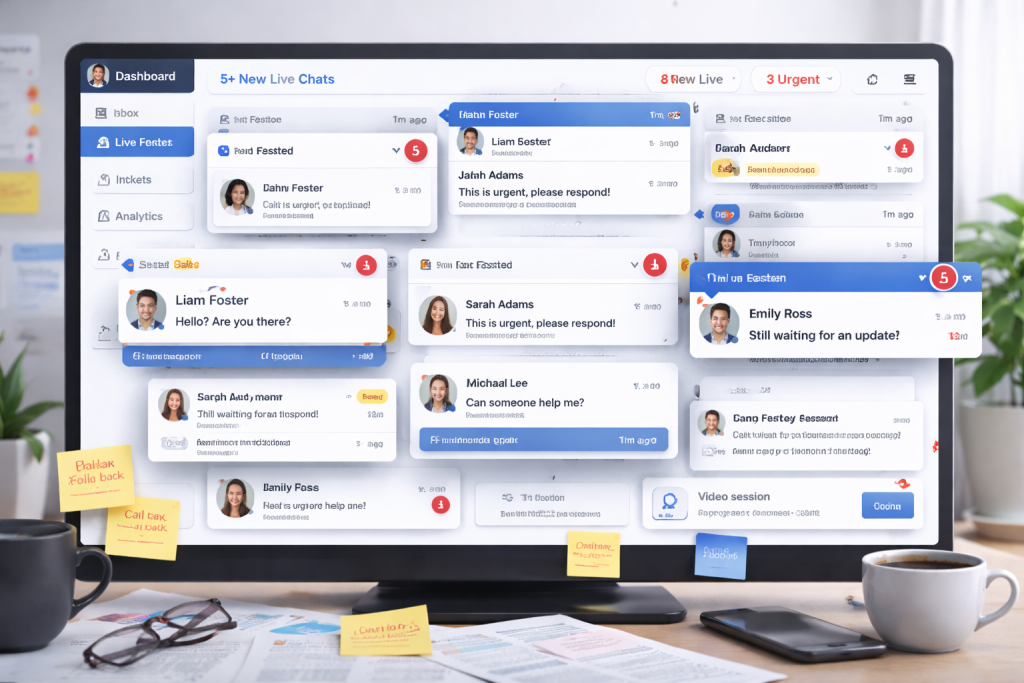
Customer support teams love the idea of live chat. In theory, it feels fast, responsive, modern. In reality, it often turns into a bottleneck. Conversations stack up, agents juggle three or four chats at once, and replies slow down the moment traffic spikes. From the customer side, the experience isn’t much better. You open a chat expecting instant help and end up staring at “Agent is typing…” for minutes.
This is where the paradox shows up. Real-time support is supposed to reduce waiting, yet it often creates more of it. The pressure to respond immediately doesn’t improve outcomes. It just spreads attention thin.
That’s why more teams are shifting toward asynchronous messaging customer service. Instead of forcing both sides to stay locked in a single session, conversations become flexible. Customers send a message and move on. Agents respond with context, not urgency.
In this article, we’ll break down how that model works and why combining async messaging with video escalation creates a more scalable, higher-quality support system.
Why Real-Time Support Breaks at Scale
At low volume, live chat feels efficient. One agent handles one or two conversations, replies quickly, and everything moves smoothly. The situation changes the moment traffic increases. Instead of focused conversations, agents are forced to juggle multiple chats at once. Five parallel threads become normal. Each new message interrupts the previous one.
This creates a hidden delay. Even if agents reply fast, they are constantly switching context. A customer sends a message, waits, gets a partial reply, then waits again. The system is technically “live,” but the experience feels fragmented.
The bigger issue is concurrency. Real-time support forces agents to divide attention across several users at once. That lowers response quality and increases resolution time, even if the first reply looks fast.
This is where asynchronous messaging customer service changes the dynamic. Instead of managing simultaneous conversations, agents can process requests one by one. No constant interruptions, no forced immediacy. The result is fewer errors, more complete answers, and a workflow that doesn’t collapse under load.
What Is Asynchronous Messaging and How It Differs From Live Chat
Let’s answer it directly: what is asynchronous messaging? It’s a communication model where messages don’t require both participants to be present at the same time. A customer sends a request, leaves the conversation, and returns later to read the response. The interaction stays open without demanding continuous attention.
The difference becomes obvious when comparing synchronous vs asynchronous messaging. Live chat is built around real-time exchange. It assumes both sides are active, responding immediately. Once the session starts, it expects continuity. That’s why it creates pressure.
“Of those digital channels, customers are showing a clear preference for asynchronous, conversational messaging. This is different to traditional live chat, because it’s an ongoing conversation that can be stopped and restarted at any time.”
Asynchronous messaging, on the other hand, removes that constraint. Conversations exist as ongoing threads rather than sessions. Customers don’t need to stay online. Agents don’t need to respond instantly. Timing becomes flexible without losing context.
A simple comparison helps:
- Live chat: you ask, you wait, you stay
- async chat: you ask, you leave, you return later
- asynchronous texting: the conversation continues without requiring both sides at once
This structure changes how support is handled. Instead of reacting in real time, agents can focus on delivering complete, well-structured responses.
The Hybrid Model: Async First, Video When It Matters
Most support teams don’t fail because of bad agents. They fail because every request is treated the same way. A simple billing question gets the same real-time treatment as a complex onboarding issue. That’s inefficient.
A better approach is to build support around asynchronous messaging customer service as the default layer. Every request starts as a message, not a live session. This alone changes the math.
Here’s a simple comparison:
- Live chat model: 1 agent handles ~3–4 conversations at once
- Async-first model: 1 agent can manage 8–12 active threads in parallel
That’s not because agents work faster. It’s because they’re no longer reacting instantly. They read, think, respond, and move on.
The second layer is escalation. When a conversation shows signs of friction, it moves to video. Not everything needs a call. But when it does, jumping into a 10-minute session can replace 20 back-and-forth messages.
The hybrid logic is simple:
- Start async to absorb volume
- Escalate to video to resolve complexity
This creates a system where support scales without turning into chaos.
Example: Support Cost per Ticket
Live chat model:
$150 (agent cost per shift) ÷ 30 tickets = $5 per ticket
Async-first model:
$150 ÷ 75 tickets = $2 per ticket
Savings:
($5 – $2) ÷ $5 = 60% reduction in cost per ticket
How a Hybrid Support Flow Works in Practice
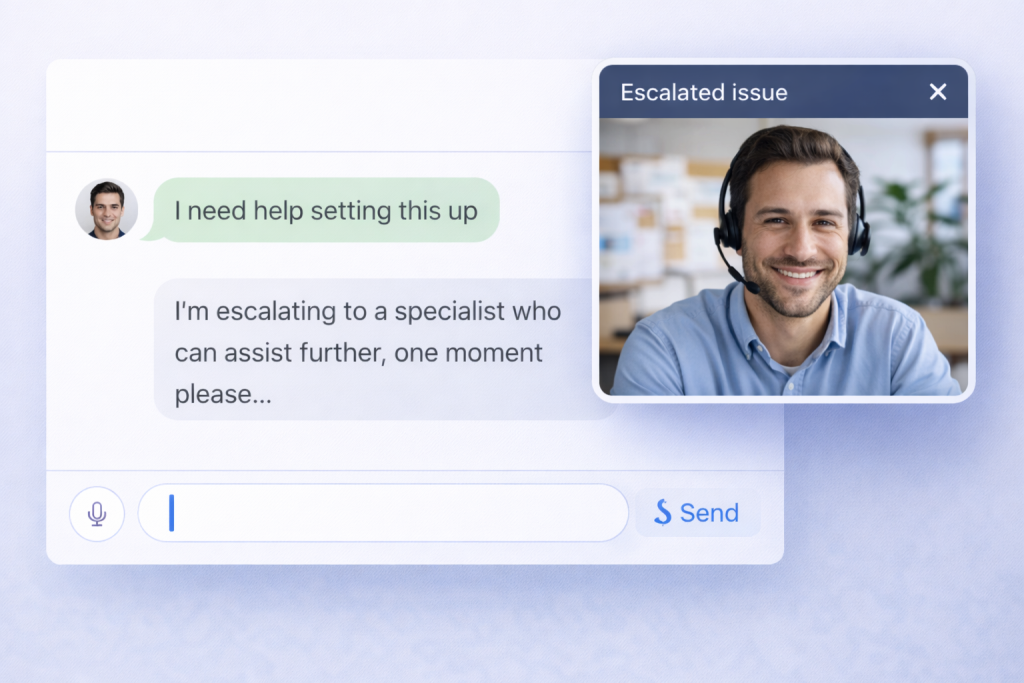
A hybrid setup isn’t just “chat plus video.” It’s a structured flow that moves requests through stages instead of trapping them in a single session. In a well-built asynchronous messaging customer service system, every interaction starts as a message and only escalates when needed.
Here’s how it typically works in practice:
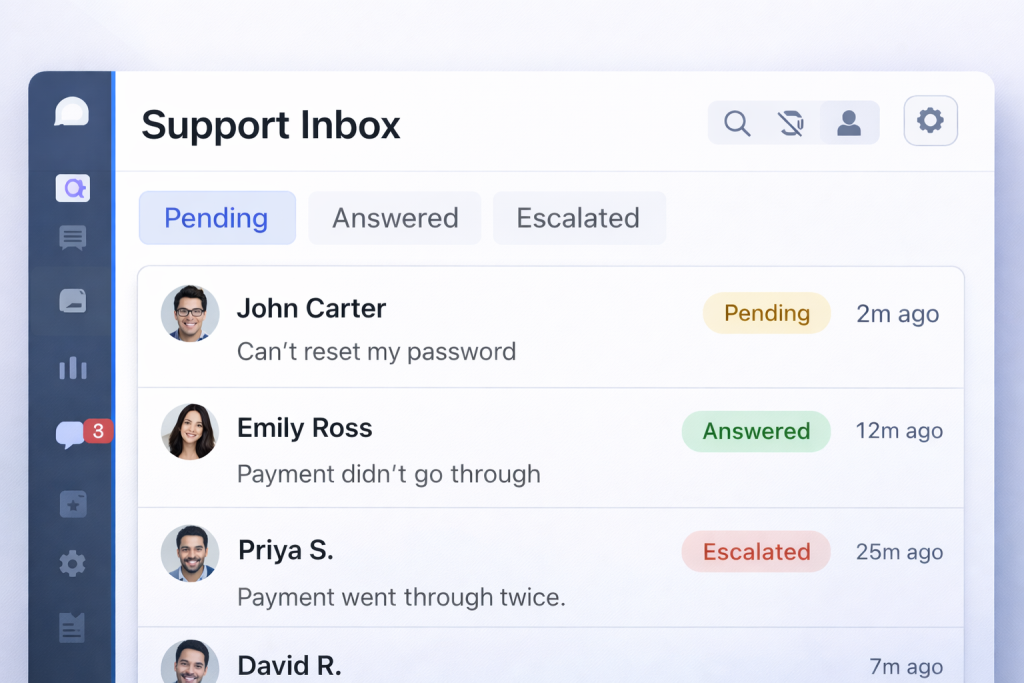
- A request comes in through a unified inbox. It can be a website widget, mobile app, or client portal.
- The system assigns basic metadata. Tags, customer type, urgency, and topic are attached automatically or by the first agent.
- The request enters a queue. Instead of first-come, first-served, it’s prioritized based on impact and complexity.
- The agent responds asynchronously. No pressure to reply instantly. The focus is on clarity and completeness.
- If the conversation stalls or becomes complex, an escalation is triggered. The agent offers a scheduled or instant video session.
- The issue is resolved, and the thread remains open for follow-up, documentation, or future questions.
The key difference is control. Instead of reacting to every message in real time, the system directs the flow. That’s what makes it scalable.
Core Support Workflow
At the operational level, the flow becomes repeatable. Teams don’t improvise. They follow a structure that reduces friction and keeps context intact.
Typical async chat workflow looks like this:
- Incoming request → automatically tagged and categorized
- Queue assignment → based on priority, not arrival time
- Async response → agent reviews context before replying
- Escalation trigger → system flags when video is needed
- Video session → quick resolution for complex issues
- Resolution + follow-up → conversation stays open for continuity
Processes You Need to Make Async Work
Tools alone won’t fix support. You can install a chat widget in minutes, but without structure, it turns into the same chaos as live chat. The real shift with asynchronous messaging customer service happens at the process level, not the interface.
The first thing teams redefine is expectations. Instead of promising instant replies, they set response windows. A typical SLA might be “first reply within 30 minutes” or “resolution within 4 hours,” depending on the request type. This removes pressure while still keeping accountability.
Then comes prioritization. Requests don’t just sit in a single inbox. They are sorted into queues based on urgency, customer tier, or issue type. A billing problem for a paying client doesn’t wait behind a general inquiry.
Tags play a key role here. Each conversation is labeled, which makes it easier to route, track, and analyze later. Over time, this builds a dataset of recurring issues.
Templates speed things up without killing quality. Agents don’t start from scratch every time. They use structured replies and adapt them to the situation.
Finally, handover logic ensures continuity. If a case moves between agents, the full context stays intact. No repeating the same explanation twice.
This is why asynchronous messaging works. It’s not just messaging. It’s a controlled system built around priorities, not interruptions.
Business Impact: Why Companies Switch to Async Support

Once the process is set up properly, the shift becomes visible in numbers, not just in workflow. Teams that move to asynchronous messaging customer service stop optimizing for “fast replies” and start optimizing for actual resolution.
In live chat, speed is often an illusion. Agents reply quickly, but conversations stretch. The same issue gets explained multiple times. In async-first systems, the opposite happens. Responses take a bit longer to arrive, but they’re more complete. Fewer messages, fewer misunderstandings.
Capacity also changes. Instead of juggling conversations, agents process them with focus. That increases throughput without increasing stress. Teams don’t need to scale headcount linearly with demand anymore.
There’s also a subtle shift in customer behavior. When users aren’t forced to wait in a chat window, they become more patient. They send clearer requests. They don’t rush the interaction.
The result is simple: fewer conversations, better answers, and lower operational pressure. That’s why companies switch. Not for the format, but for the outcome.
Measurable Outcomes
The impact shows up in metrics pretty quickly once async messaging replaces real-time pressure:
- better response quality — agents write complete, structured replies instead of fragmented ones
- faster resolution — fewer back-and-forth loops to clarify the same issue
- improved CSAT — customers don’t feel rushed or ignored
- lower support costs — more requests handled per agent
A simple comparison makes it clear. In a typical support scenario, an agent might keep 3–4 live chats active at once, while progressing 8–10 asynchronous threads over the same period.
If that translates into roughly 30 resolved tickets per shift in a live chat setup versus 70–90 in an async-first workflow, the cost per ticket drops noticeably. The exact numbers depend on ticket complexity, but the pattern holds across most teams.
As Zendesk explains, asynchronous messaging allows customers to start and resume conversations at their convenience without losing context.
Where This Model Works Best

This model doesn’t depend on industry labels. It depends on how communication actually happens. Still, there are clear patterns where asynchronous messaging fits better than live chat.
You’ll see it work best in environments like:
- consulting platforms where answers require thought, not instant replies
- telehealth services where many requests are non-urgent
- legal or financial advisory where accuracy matters more than speed
- SaaS support where onboarding and troubleshooting take multiple steps
- marketplaces where one agent or provider talks to many users at once
What all these situations have in common:
- conversations don’t resolve in one message
- context matters more than speed
- users don’t want to sit in a chat window waiting
In those conditions, forcing everything into real-time interaction creates friction. Letting conversations flow asynchronously, with escalation when needed, removes that pressure without slowing things down.
How to Choose the Right Support Setup
Before choosing a setup, evaluate four factors: request urgency, average ticket complexity, repeatability of questions, and how often issues require real-time clarification.
There’s no single “best” model. The right setup depends on how your support actually behaves. Look at the type of requests you get, not the tools you already use.
If most conversations are simple and repeatable, async works well on its own. Customers don’t need instant replies, and agents benefit from handling requests in batches instead of reacting in real time.
- async only → high volume of predictable questions, low urgency, strong use of templates
Live chat still has its place, but it’s narrower than most teams think. It makes sense when timing matters more than depth. Think urgent issues where waiting even a few minutes creates frustration.
- live chat only → time-sensitive problems, emotional situations, cases where immediate reassurance matters
The hybrid model fits most real-world setups. It absorbs volume through messaging and escalates when needed. That keeps the system stable under load without sacrificing quality.
- hybrid model → mixed workload, growing teams, services where some issues need real interaction and others don’t
In most cases, teams move toward a hybrid setup over time, because it handles both volume and complexity without forcing agents into constant multitasking.
Scrile Meet as a Foundation for Hybrid Customer Service
At some point, tools stop solving the problem. They start creating it. You end up with one system for chat, another for calls, a third for payments, and none of them really talk to each other. That’s exactly where hybrid support breaks.
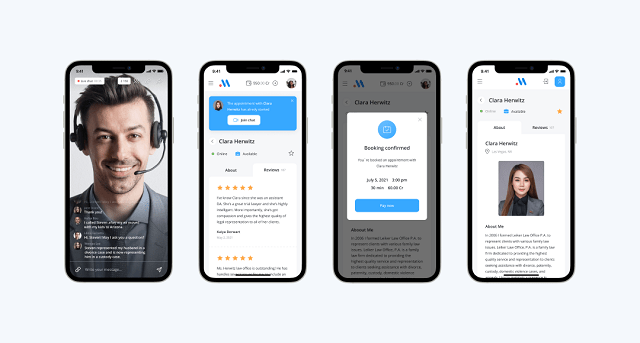
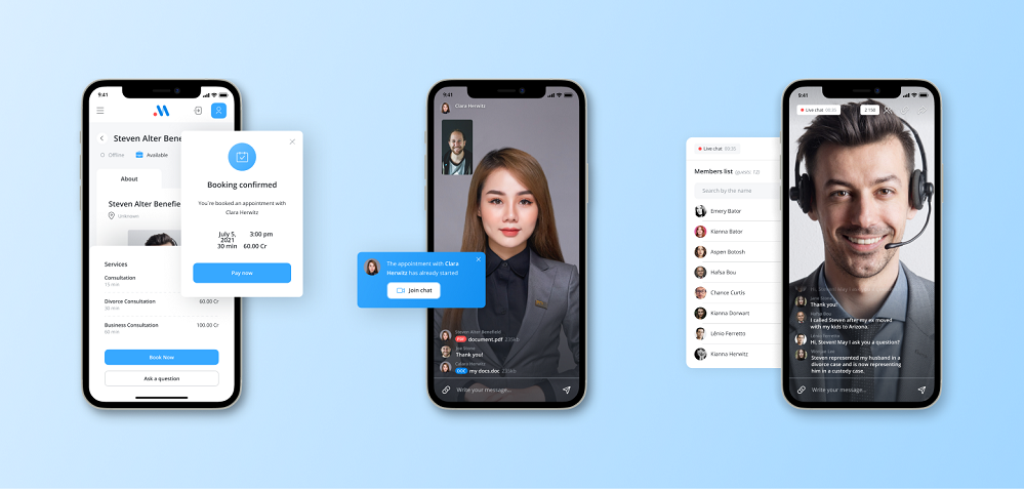
Scrile Meet approaches it differently. It’s not a boxed SaaS product with fixed logic. It’s a development solution where asynchronous messaging customer service and live interaction are designed to work together from the start. A conversation begins as a message, stays persistent, and when things get complicated, it moves into a video session without switching platforms or losing context.
What makes this setup practical is how the pieces connect inside one flow:
- messaging and paid Q&A as the default entry point
- built-in video consultations for escalation
- scheduling to control when live interaction happens
- integrated payments so support can turn into a paid service
- admin tools to track conversations and performance
This changes how you think about support. It’s no longer just a cost center. You control how interactions happen, how they escalate, and even how they generate revenue.
Which Model Works Best for Your Case
| Factor | Async-First Model | Live Chat Only | Hybrid Model (Async + Video) |
| Request type | Repeatable, low urgency | Urgent, simple, emotional | Mixed: simple + complex |
| Agent workload | High volume, handled in batches | Constant multitasking | Balanced, controlled flow |
| Response style | Thoughtful, structured replies | Fast but often shallow replies | Flexible: depth in async, clarity in video |
| Resolution speed | Medium (fewer total messages) | Fast replies, slower resolution overall | Fast resolution for complex issues |
| Scalability | High (more threads per agent) | Limited (agent bottleneck) | High (volume + escalation logic) |
| Customer behavior | Sends message and leaves | Waits in session | Starts async, escalates if needed |
| Best use case | FAQs, SaaS support, ticket-heavy flows | Critical, time-sensitive issues | Platforms with mixed workloads |
| Monetization potential | Medium (paid messaging possible) | Low | High (paid consultations, calls) |
| Tool complexity | Low | Low | Medium (requires integrated system) |
| Failure point | Urgent cases delayed | Overload under traffic spikes | Poor escalation setup |
| Implementation path | Basic messaging tools | Basic live chat tools | Requires integrated platform (chat + video + scheduling + payments) |
Conclusion
Support doesn’t break because teams are slow. It breaks because the system forces speed where it’s not needed. Live chat creates pressure, and pressure leads to shallow answers. Asynchronous messaging customer service removes that urgency and replaces it with structure. Agents think before replying. Customers don’t feel stuck waiting.
The hybrid model takes it further. Async absorbs the volume. Video resolves the difficult cases. Together, they improve resolution quality without overwhelming the team.
In the end, support is not about speed. It’s about solving the problem in the fewest steps possible.
If you want to build a system like this under your own brand, it makes sense to talk to the Scrile Meet team and explore how it can be implemented for your specific workflow.
FAQ
What does async stand for?
Async stands for asynchronous. It means communication does not happen at the same time and replies can come later.
What are AI consulting services?
AI consulting services help businesses use AI to automate tasks, improve decisions, and build new digital products. They usually include strategy, integration, and optimization.
What does async mean in work?
Async work allows people to collaborate without being online at the same time. It is common in remote teams and flexible support environments.
What is asynchronous messaging in customer service?
Asynchronous messaging lets customers send requests and return later without losing context. It reduces pressure and improves response quality.
How is async messaging different from live chat?
Async messaging allows flexible replies, while live chat requires both sides to stay active. It works better for non-urgent and multi-step issues.
When should support switch to video calls?
Video is useful when text is not enough to explain or resolve a problem. It works best for onboarding, troubleshooting, and sensitive cases.
Does asynchronous support reduce costs?
Yes, because agents can handle more requests without multitasking in real time. This lowers cost per ticket and improves efficiency.
Can you monetize customer support interactions?
Yes, if your platform supports paid messaging or consultations. This is common in advisory services and expert marketplaces.
