
1:1 Meeting Software for Experts and Teams
Run smarter one-on-one sessions with structured booking, reminders, and payments. Learn how 1 1 meeting software helps experts and teams stay organized and scale workflows. Discover how Scrile Meet lets you build your own branded platform for secure, flexible 1:1 meetings.


one on one meeting software
1 1 meeting software is a system that organizes the entire lifecycle of a session, not just the call itself. It provides booking links with real-time availability, automates reminders, supports messaging before and after meetings, enables payments for paid sessions, and tracks outcomes like attendance and follow-ups. In practice, one on one meeting software replaces scattered tools with a single, structured workflow.
At first glance, a one-on-one meeting feels like the simplest thing in business. Two people, a calendar slot, a quick call. Done. But the moment those meetings start happening daily, across clients or teams, things get messy fast.
A consultant juggling 15 sessions a week quickly runs into double bookings. A support team handling scheduled calls starts seeing no-shows pile up. Managers spend more time coordinating calendars than actually talking to their team. And then there’s the quiet problem no one tracks properly: follow-ups that never happen.
This is where the idea of 1 1 meeting software starts to make sense. Not as another video tool, but as a way to stop the chaos behind scheduling, reminders, and session tracking. Even a basic 1 on 1 meeting software setup can cut no-shows by 20–30% simply by automating reminders and confirmations, according to scheduling platform benchmarks.
At scale, the issue isn’t the call itself. It’s everything around it. Without structure, every new meeting adds friction instead of value.
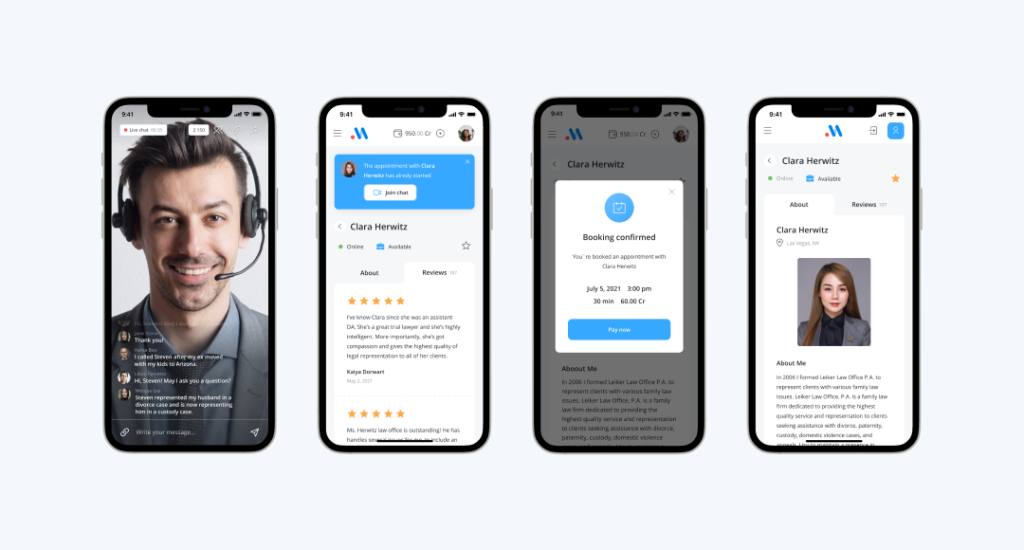
What 1:1 Meeting Software Actually Does (Not Just Calls)
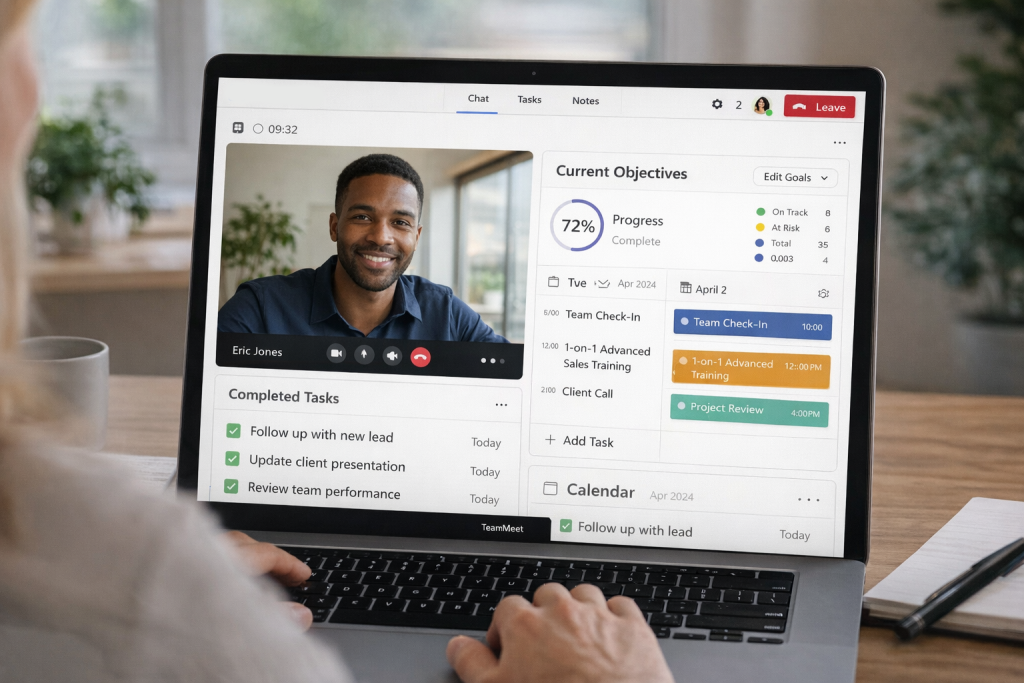
Most people think this is just a nicer version of Zoom. It isn’t. The call itself is the easy part. The mess usually starts before and after it.
1:1 meeting software deals with that mess. It builds structure around something that would otherwise depend on emails, chats, and memory.
“1-on-1 meetings are designated conversations for managers to connect with their direct reports about their workloads, priorities, goals, challenges, feedback, and more.”
— Atlassian, 7 tips for better 1-on-1 meetings
Instead of piecing things together, it handles:
- Time slots — real availability, not “does Tuesday work?” messages
- Priorities — you can decide who gets faster access or better time slots
- Intake forms — quick questions before the meeting so you don’t start blind
- Notes and outcomes — what was agreed doesn’t disappear in a chat thread
- Follow-ups — next meetings or actions don’t rely on someone remembering later
Take a coach doing 20 sessions a week. Without a system, half the effort goes into coordination. Messages, reminders, rescheduling. It adds up quickly. With 1 on 1 software, most of that disappears. People book through a link, confirm instantly, and show up with context already filled in.
So no, it’s not about video. It’s about not losing control once meetings stop being occasional.
The Hidden Workflow Behind Every 1:1 Session
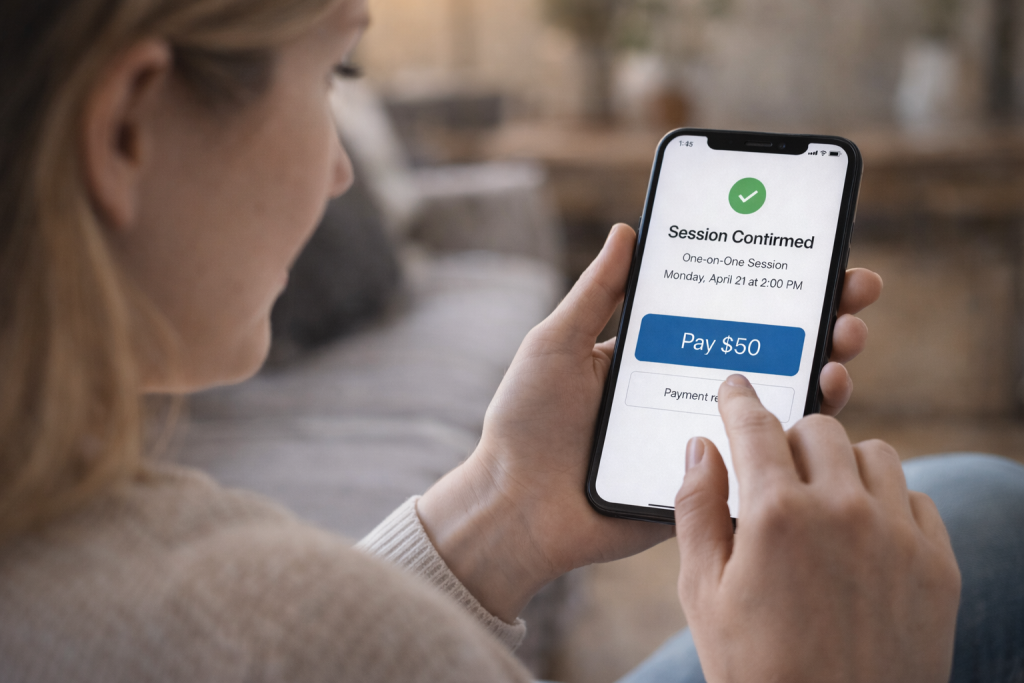
If you zoom out for a second, a “simple meeting” is actually a chain of small actions. Most people only notice the call itself. The rest runs in the background until something breaks.
From Booking to Follow-Up
A typical session doesn’t start when two people join a call. It starts earlier, usually with someone trying to find a time that works. That alone can take a few messages if there’s no structure.
With a system in place, the flow is much tighter. A person opens a booking link, picks a slot that already matches real availability, fills in a short form, sometimes pays upfront, and gets confirmation instantly. After that, reminders kick in automatically. No chasing, no “just checking if we’re still on.”
The meeting happens. Then comes the part many teams underestimate — what happens after. Notes, next steps, sometimes another session scheduled right away.
Without something like 1 on 1 meeting software, this chain tends to fall apart in small but expensive ways.
Manual vs Software-Driven 1:1 Workflow
| Stage | Manual Process | With 1 1 meeting software |
| Booking | emails, DMs, back-and-forth | booking link with real availability |
| Qualification | none or asked during call | pre-session forms and filters |
| Scheduling | manual coordination | automatic time slot selection |
| Reminders | often forgotten | automated notifications |
| Meeting tracking | notes in chats or docs | structured session records |
| Follow-up | depends on memory | scheduled or automated |
| Payments | handled separately | built-in or integrated |
Where Things Usually Break
The failures aren’t dramatic. That’s why they’re easy to ignore at first.
A client books a call but shows up unprepared because no one asked the right questions in advance. Another one forgets entirely because there was no reminder. A third one finishes the session, says “let’s continue next week,” and then disappears because nobody followed up.
None of this feels like a big deal in isolation. But stack 10–15 meetings a week, and you start seeing patterns: empty slots, repeated explanations, lost momentum.
At that point, the problem isn’t meetings anymore. It’s the lack of a system holding them together.
Real Use Cases: How Different Teams Use 1:1 Meeting Software

The same setup behaves very differently depending on who’s using it. A coach, a manager, and a sales team might all run one-on-one meetings, but the pressure points are not the same.
Expert Consultations & Coaching
For consultants, the meeting itself is the product. The problem is rarely the call. It’s everything leading up to it.
Someone finds your page, tries to book, hesitates, sends a message instead, waits for a reply, and sometimes never comes back. That drop-off happens more often than people think.
With 1:1 software, that path becomes shorter. A link, a slot, a payment, done. No friction. That’s what makes repeat sessions possible. Not better conversations, but fewer obstacles before them.
For this scenario, simple scheduling tools can work at the beginning, but paid sessions usually require booking, payments, and reminders in one system.
Internal One-on-One Meetings
Inside teams, things fail more quietly. Meetings get skipped. Or they happen, but nothing comes out of them.
Over time, people stop taking them seriously because there’s no continuity. No record, no follow-up, no sense that last week connects to this one.
A 1 on 1 meeting tool doesn’t fix communication by itself. What it does is remove randomness. Same cadence, same structure, same place to track what was discussed. That consistency is what turns these meetings into something useful.
In this case, dedicated internal tools or integrated platforms work better than booking tools, because the focus is on tracking conversations and follow-ups, not scheduling revenue sessions.
Customer Support & Success
Support teams usually start reactive. Chat, tickets, quick replies. But once issues get complex, calls start creeping in.
That’s where things get messy. One customer wants “ASAP,” another disappears after booking, a third keeps rescheduling.
Here structure actually helps stabilize things:
- customers pick real available slots instead of waiting
- urgent cases can be prioritized
- reminders quietly reduce no-shows
Here, basic scheduling is not enough. Teams usually need systems with prioritization, routing, and reminders to handle volume without delays.
Enterprise Onboarding & Sales
In sales, every meeting has weight. It’s not just a conversation, it’s movement through a pipeline.
A demo without context wastes time. A follow-up that doesn’t happen kills momentum. When everything depends on manual coordination, deals slow down.
With 1:1 software, meetings start behaving like steps, not isolated events. Booked, prepared, executed, followed up. That sequence is what actually moves prospects forward.
In this scenario, integrated platforms or custom setups become more relevant, since meetings are tied directly to pipeline and conversion tracking.
Performance Metrics That Actually Matter

Most teams track how many meetings they have. That number alone doesn’t tell you much. The useful signals sit a bit deeper, and they’re usually tied to how well the process around the meeting works.
The first one is time to meeting. If someone has to wait three or four days to get a slot, interest drops. Fast access often matters more than the meeting itself.
Then there’s show rate. This is where things get expensive. Missed sessions aren’t just empty calendar blocks. They’re lost opportunities, especially in consulting or sales.
Follow-up rate is another quiet indicator. If people don’t come back for a second session, something in the flow is breaking. Either expectations weren’t clear, or the next step wasn’t captured.
Finally, cost per meeting. This one usually gets ignored, even though it adds up fast.
Example:
40 booked sessions per week
25% no-show → 10 sessions lost
$50 per session → $500 lost weekly
With reminders and structured booking (typical for one on one meeting software):
no-show drops to ~10% → 4 sessions lost
Recovered revenue → ~$300 per week
That difference doesn’t come from better conversations. It comes from tightening the system around them.
If show rate is the issue, reminders and prepayment matter most. If follow-ups are missing, session tracking and scheduling logic become critical. When time to meeting is too long, availability management becomes the priority. These signals usually define what type of system is needed and whether basic tools are enough or a more advanced setup is required.
What to Look for in 1:1 Meeting Software
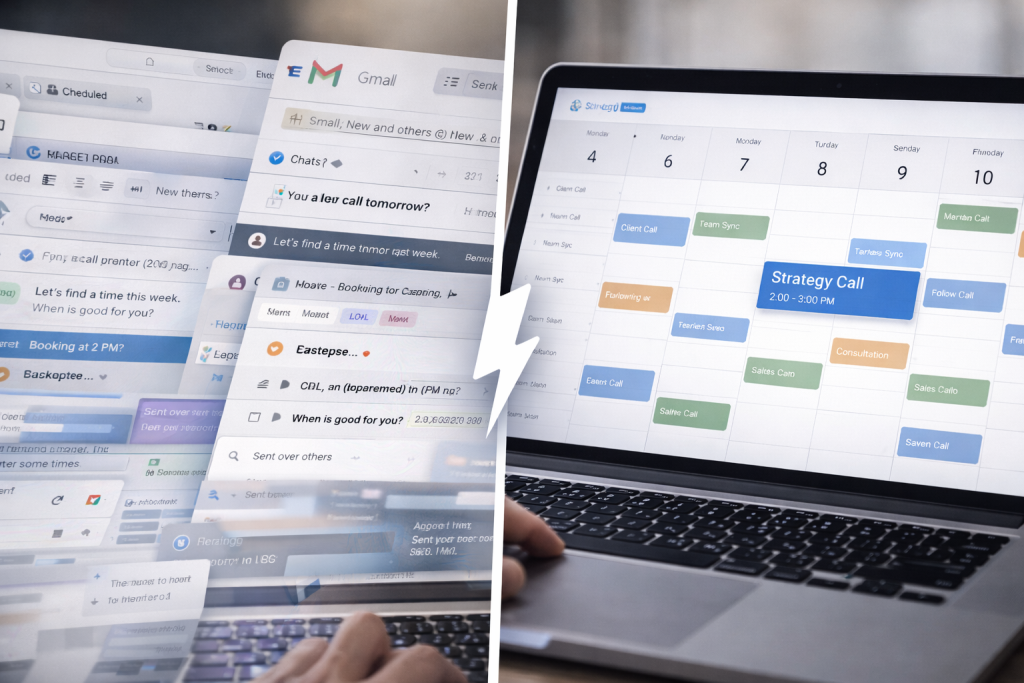
When meetings start stacking up, small details begin to matter more than expected. Things like missed reminders or messy scheduling don’t look serious at first, but they compound quickly over a week.
- Availability logic — the calendar needs to reflect reality. If it shows slots that aren’t actually free, people lose trust fast. Good systems sync in real time and adjust automatically when something changes.
- Reminders (email + SMS) — people forget. It’s normal. What matters is whether the system nudges them at the right moment instead of relying on manual follow-ups every time.
- Payment integration — if sessions are paid, the transaction should happen before the call. That single step filters out a surprising amount of low-intent bookings and saves time.
- Session tracking — conversations don’t mean much if they disappear right after. Notes, outcomes, and next steps should stay attached to the session without extra effort.
- Integrations (CRM, calendar) — meetings rarely exist on their own. They connect to pipelines, customer data, and internal workflows, so syncing matters more than it seems at first.
- Security — private sessions need controlled access. Links should not be reusable, and basic data protection should be built in, especially when scaling across teams.
Most of this only becomes obvious after a few weeks of handling real volume. That’s usually the point where people start looking for 1 1 meeting software instead of trying to patch things manually.
Scrile Meet: Building Your Own 1:1 Meeting System
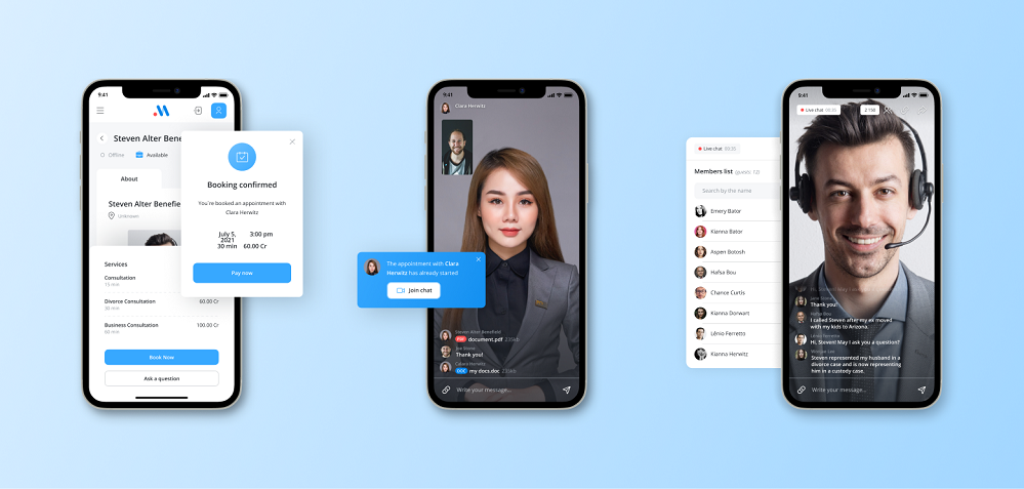
At some point, patching tools together stops working. Calendars here, payments there, calls somewhere else. That’s usually when people start thinking about owning the whole setup instead of relying on separate services.
Scrile Meet is built for that. It’s not a typical SaaS you log into and adapt to. It’s a development solution that lets you launch your own platform with your own rules, branding, and workflows.
What you actually get is a system you control:
- Appointment booking tied to real availability, so clients can schedule sessions directly
- Private one-to-one live meetings running in the browser, no installs needed
- Integrated payments so sessions can be monetized without extra tools
- Messaging and paid Q&A for ongoing interaction outside scheduled calls
- Admin dashboard with analytics to track sessions, users, and revenue
- Full customization of design and functionality to match your business model
This kind of setup fits different scenarios without forcing one structure. Consultations, coaching, internal workflows — all of them can run inside the same system.
For smaller setups, basic scheduling tools are often enough, especially when meetings are occasional and don’t require custom workflows.
But once sessions become part of revenue, team coordination, or client experience, a more structured system starts to make sense.
That’s where 1 1 meeting software stops being a tool and starts looking more like infrastructure.
How to Choose the Right Setup for Your Meetings
By this point, the difference between “just having calls” and running a structured system is already clear. What matters now is picking the right level of complexity for how you actually work.That’s where 1 1 software starts to shift from convenience to something you actually rely on.
Types of 1:1 Meeting Solutions:
| Type | Best for | Limitations | When to choose | Examples |
| Basic video tools | simple calls | no scheduling logic | small teams or occasional use | Zoom, Google Meet |
| Scheduling tools | booking automation | limited workflows | freelancers and solo experts | Calendly, Acuity |
| Integrated platforms | advanced workflows | less flexibility | teams handling growing volume | HubSpot, Teams |
| Custom platforms | full control | requires setup | businesses scaling operations | Scrile Meet |
Conclusion
At small scale, meetings feel like simple conversations. Once volume grows, they behave more like systems with moving parts that need coordination. Scheduling, reminders, context, and follow-ups all start to affect results in ways that aren’t obvious at first.
Teams that treat meetings as infrastructure tend to keep control as they grow. Fewer missed sessions, clearer outcomes, and less time spent fixing small issues that add up.
If your setup is starting to feel stretched, it’s a good moment to rethink how it’s built. A proper 1 1 meeting software approach gives you that control without patching tools together.
If you want to build a system that actually fits your business, reach out to Scrile Meet and explore how a custom setup can work in your case.
FAQ
What is a 1-on-1 session?
A 1-on-1 session is a private meeting between two people. In business, it often means a manager and employee, a consultant and client, or a specialist and customer discussing a specific issue.
What is a 1 1 or 121 meeting?
A 1 1 meeting, sometimes written as 121, is simply a scheduled conversation between two people. The format is used for feedback, coaching, support, sales, and other focused discussions.
Is it 1-on-1 or 1-to-1?
Both are used and mean the same thing. “1-on-1” is more common in workplace language, while “1-to-1” often appears in software pages, consulting offers, and booking systems.
What is the best 1 1 meeting software for consultants?
The best option depends on the workflow. Consultants usually need booking links, payments, reminders, and session notes in one place, so the strongest choice is the one that reduces admin and keeps repeat sessions easy to manage.
How do you monetize 1-on-1 meetings?
The usual ways are paid consultations, session bundles, subscriptions, premium follow-ups, and upsells into longer services. The key is to make payment part of the booking flow, not an extra step later.
Can 1:1 meeting software reduce no-shows?
Yes. Automated reminders, confirmation steps, and prepaid booking all help reduce missed sessions. Most no-shows happen because people forget, delay, or never fully commit in the first place.
What features matter most in one on one meeting software?
The most useful features are real-time scheduling, reminders, payment integration, notes, follow-up handling, and secure access. If the meetings affect revenue, tracking and CRM connections also become important.
Do you need custom software for 1:1 meetings?
Not always. Simple setups work for low volume. Custom software makes more sense when meetings are central to the business, involve multiple roles, or need branded workflows and deeper integrations.
