
How to Set Up Donations on Twitch: Panels, Links & Alerts
Learn how to set up donations on Twitch the right way — from creating a donation link and Twitch donation panel to configuring alerts, goal bars, and security settings. This guide explains Bits, subscriptions, real income examples, and why one-time tips aren’t enough. Discover how to turn Twitch support into a long-term monetization system and build your own fan hub with Scrile Connect.

how to set up donations on twitch
To understand how to set up donations on Twitch, you need more than a single button. You create an external donation page through PayPal or a service like Streamlabs, then add a Twitch donation panel that links to it. Connect alerts in OBS or Streamlabs so viewers see their support live. Optionally, add a donation goal bar for visibility. Bits and subscriptions work differently and should be treated separately. If you want stability, build structure beyond random tips and think long-term.
You usually search how to set up donations on Twitch right after something small but important happens. You finally have 5–15 regular viewers. Someone types in chat, “Can I donate?” And you freeze. There’s no obvious button. No clean link. No system.
That moment creates a strange tension. You have attention. You don’t have structure. You’re streaming consistently, people enjoy the content, but support feels improvised. Maybe you dropped a PayPal link once. Maybe you mentioned it awkwardly on stream. Nothing feels organized.
The truth is that figuring out how to set up donations on Twitch is less about one link and more about building a simple support framework. This guide breaks down the full Twitch donation system: external links, Bits, panels, alerts, security basics, and how to move beyond one-time tips into your own branded support hub using Scrile Connect.
What “Donations” Actually Mean on Twitch
Before you adjust panels or alerts, you need to understand what support on Twitch actually looks like. When people talk about donations, they often mix several systems together. In reality, Twitch monetization includes external donations, Bits, and subscriptions — each working differently.
External Donations
External support happens through PayPal, Streamlabs, or similar services. You create an external donation page, generate a link, and place it on your channel. The money goes to you through a payment processor. Twitch does not take a revenue share from that transaction. The only deduction usually comes from the processor, such as PayPal fees around 2.9% plus a fixed transaction charge, depending on region.
This is very different from subscriptions, where revenue is split with the platform. With an external Twitch donation, you avoid platform commission but still pay processing costs. That distinction affects your long-term income structure.
There’s also a psychological layer:
“Twitch donations go beyond mere instrumental or playful actions; they serve as performative expressions of identity, autonomy, and ethical subjectivity.”
— Exploring Twitch Viewers’ Donation Intentions from a Dual Perspective, MDPI
Bits & Cheering (Native Twitch Support)
Bits are Twitch’s internal currency. Viewers buy Bits from Twitch and use Cheer in chat. Creators receive $0.01 per Bit. If someone cheers 1000 Bits, you earn $10. Twitch keeps its margin when selling the Bits, not at payout.
Subscriptions
Subscriptions are recurring payments at $4.99, $9.99, or $24.99 tiers. The common split is around 50%. That means 1000 subscribers roughly equal $2,500 per month, or about $30,000 per year before taxes.
Donations Are Not a Button — They’re a Setup System
When people search how to setup donations on Twitch, they usually expect a toggle inside the dashboard. Something like “Enable Donations.” It doesn’t work that way. Twitch does not provide a universal donation switch. What you’re building is a small infrastructure, not pressing a button.
A proper Twitch donation setup includes several connected elements:
- Donation page – Created via PayPal, Streamlabs, or another service where viewers can send money.
- Donation link – The unique URL that directs viewers to that page.
- Twitch donation panel – A visible panel on your channel’s “About” section that contains the link.
- Alerts – On-stream notifications in OBS or Streamlabs that display when someone donates.
- Goal bar – Optional but powerful. Shows progress toward a funding target.
- Security setup – Use a PayPal Business account, avoid exposing personal emails, and moderate donation messages.
Each piece plays a role. Without alerts, donations feel invisible. Without a panel, viewers don’t know where to click. Without security, you risk exposing personal information.
Understanding this structure makes the question “how to setup Twitch donations” much clearer. It’s not a feature. It’s a system you assemble correctly.
Step-by-Step: How to Enable Donations on Twitch
Setting up support correctly is less complicated than it looks. Once you understand the structure, the process becomes mechanical. Below is the practical execution layer — the part most creators are actually searching for.
How to Enable External Donations on Twitch
To understand how to enable donations on Twitch, remember that external donations are handled outside the Twitch dashboard.
First, create a PayPal Business account or sign up with a service like Streamlabs. A Business account prevents your personal email from being exposed. After registration, generate your unique donation link. Most services allow you to customize minimum amounts and enable optional donor messages.
Next, configure moderation settings. You can filter profanity, limit message length, and block anonymous messages if needed. This step is often ignored but protects your stream environment.
Finally, test the flow yourself. Send a small amount. Confirm the payment lands correctly and the message appears as expected. Treat it like a product launch, not a guess.
How to Set Up a Donation Link on Twitch
Now let’s cover how to set up a donation link on Twitch inside your channel.
Go to your channel → click “About” → enable “Edit Panels.” Add a new panel. Upload a simple image button. Paste your donation URL into the link field.
Your call-to-action matters. Avoid “Donate now!!!” Instead, try:
- “Support the stream & future upgrades”
- “Help fund new content ideas”
- “Contribute to the next milestone”
Keep it clear. Keep it respectful. Support should feel invited, not demanded.
Designing a Twitch Donation Panel That Converts
A lot of donation panels look like they were added in five minutes between streams. A random button. A PayPal logo. Maybe the word “Donate” in bold red. Then creators wonder why nobody clicks.
Think about it from a viewer’s side. They’re watching your stream, enjoying the vibe, maybe laughing at something you said. They scroll down and see your panel. What does it tell them? If it says nothing beyond “Support me,” there’s no story attached to it.
A strong Twitch donation panel answers a simple question: what happens if I give? “Saving for a better mic” feels tangible. “Funding next month’s tournament trip” feels specific. Even “Help improve stream quality” works better than a blank request.
Progress also changes the mood. When people see a goal creeping forward, it feels like a shared mission rather than a transaction. Hitting 70% of a target often triggers the final push.
Tone is subtle but powerful. If your wording sounds desperate or demanding, people pull back. If it sounds open and grateful, they lean in. Keep it calm. Keep it real. Let the panel feel like an extension of your stream personality, not a sales banner pasted underneath it.
Alerts, Donation Bars & Viewer Psychology
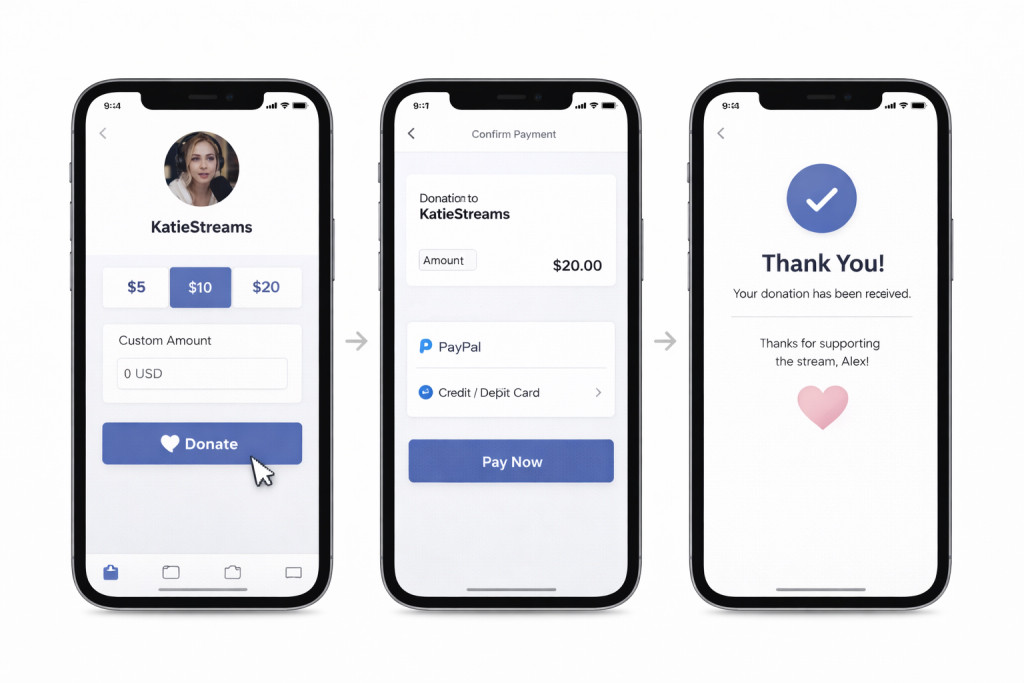
Once the link is live, the next step is visibility. Many creators focus only on how to set up donations on Twitch, but they forget that donations need to be seen. If nobody notices them, they don’t influence behavior.
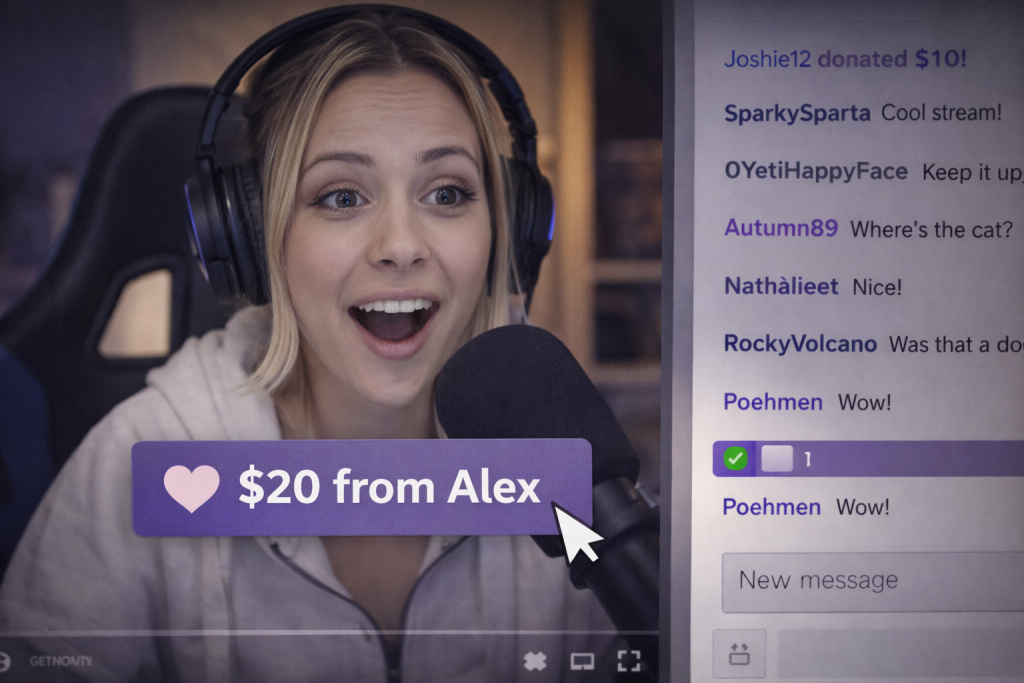
This is where alerts and donation bars matter. In Streamlabs, you can add a widget source directly into OBS. That widget triggers a visual and sound alert whenever someone donates. The key is balance. A loud, chaotic sound may grab attention once, but repeated spam annoys viewers. Choose something clean and recognizable.
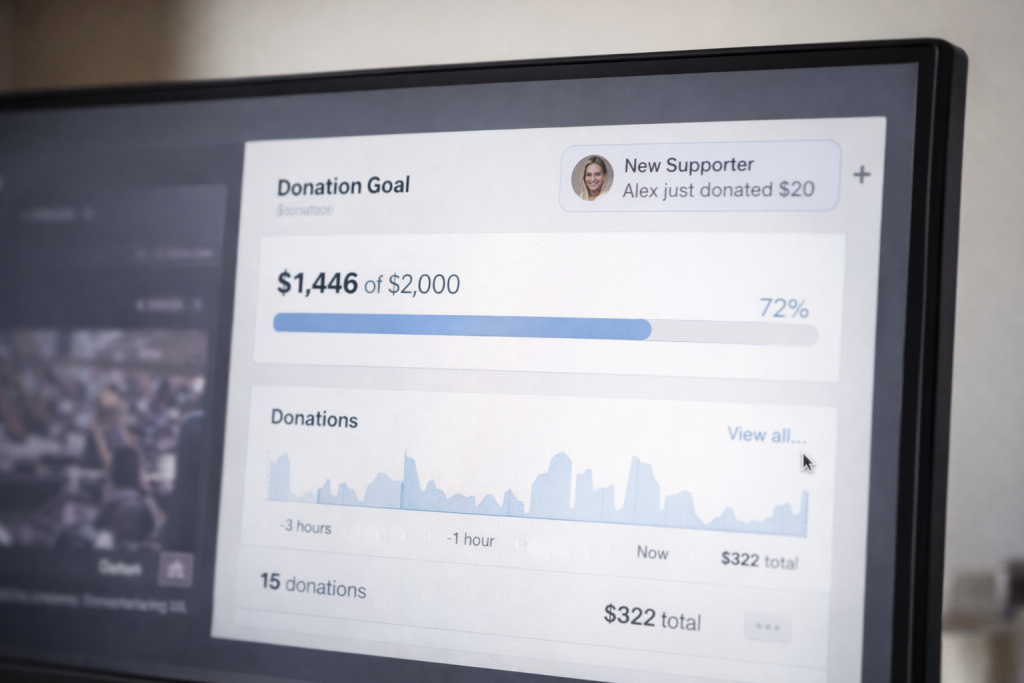
A donation goal bar adds another layer. It shows progress in real time and creates momentum. When viewers see a goal nearing completion, they are more likely to contribute. Psychology plays a role here. People enjoy pushing something over the finish line.
If you’re wondering how to get donations on Twitch, visibility and feedback are part of the answer.
To set up a donation bar on Twitch:
- Create your donation link (PayPal or Streamlabs).
- Add it as a panel under your channel.
- Insert the donation goal widget as a browser source in OBS.
When alerts, goals, and recognition work together, support stops feeling random and starts feeling shared.
Why There Are No Donations

Sometimes the issue isn’t technical. You’ve figured out how to allow donations on Twitch, added the panel, connected alerts, and tested the link. Everything works. Yet nothing happens.
The most common reason is simple: there’s no reason to give. If viewers don’t see a goal, they don’t see impact. “Support the stream” is vague. “Help me reach $300 for a new mic” feels concrete. Without visible targets, donations feel optional and abstract.
Incentives matter too. That doesn’t mean paywalls or pressure. It can be as small as a personalized thank-you, a name on a supporter list, or a small stream milestone when a goal is reached. Milestones create moments. Moments create motivation.
Recognition is another factor. If someone donates and the streamer barely reacts, future support drops. A genuine response reinforces behavior.
Here’s a simple example. If three regular viewers donate $5 once a week, that’s $60 per month. Small, but real. Remove goals, reminders, and acknowledgment, and that number often becomes zero.
Donations are influenced by behavior. Structure shapes action. Without structure, even loyal viewers rarely take the next step.
Support Economics: Burst vs Recurring vs Ownership
Once you understand how to set up donations on Twitch, the next question is financial: what kind of income model are you actually building?
External donations behave like bursts. A viewer sends $10 or $20 in a moment of enthusiasm. If 100 viewers donate $10 during a special stream, that’s a $1,000 spike. It feels great. But next month might be quiet. Donations depend on mood, hype, and timing.
Bits operate differently. They are micro-engagement tools built into chat. A few hundred Bits here and there create interaction, but at $0.01 per Bit, scale is limited. They amplify moments rather than build predictable revenue.
Subscriptions are more stable. With a typical 50% revenue split, a $4.99 subscription brings you roughly $2.50. If 200 people subscribe, that’s about $500 per month. At 1000 subscribers, you’re looking at roughly $2,500 per month, or around $30,000 per year before taxes. That predictability changes planning.
Ownership shifts the equation again. When you build your own fan platform, recurring payments are not locked into Twitch’s split. You define pricing, tiers, and bonuses. You keep control of customer relationships.
Below is a structured comparison:
| Support Type | Who Controls Payments | Revenue Share | Predictability | Ownership | Best For |
| External Twitch donation | PayPal / Streamlabs | Payment fees only | Low | No | Early support |
| Bits (Cheering) | Twitch | $0.01 per Bit | Medium | No | Live hype |
| Twitch Subs | Twitch | ~50% split | Medium–High | No | Growing channels |
| Own Fan Platform | You | Custom | High | Yes | Long-term stability |
Twitch Dependency Problem
Figuring out the mechanics of donations is useful, but it doesn’t change the underlying structure. Twitch still owns the environment where your audience interacts with you. The platform controls visibility, recommendation systems, and communication channels. Even when viewers support you financially, that relationship is technically mediated by Twitch.
Revenue share limits also affect growth. Subscription income is typically split, which means scaling your audience does not automatically translate into full revenue control. Bits follow a fixed payout model as well. External tips may avoid a platform cut, yet the community itself remains inside Twitch’s ecosystem.
Rules can change. Payout models can shift. Discoverability can rise or drop depending on algorithm adjustments. When your monetization depends entirely on one platform, stability becomes fragile.
Understanding how to set up donations on Twitch is important, but it addresses only the first layer. Donations are the starting point. Sustainable income requires building your own support infrastructure — one that gives you pricing control, audience access, and revenue beyond live sessions alone.
Beyond Twitch: Building Your Own Support Hub with Scrile Connect
“The next step after you’ve figured out the Twitch donation setup is to integrate viewer support into your brand: subscriptions, gated content, goals, bonuses, and direct payments that aren’t tied solely to streaming. This can be launched on Scrile Connect: you build your fan club and donation hub as a separate product that complements Twitch and turns one-time donators into loyal subscribers.”
This shift changes the model completely. Instead of relying only on Twitch panels and alerts, you create a structured environment where supporters join your ecosystem, not just your stream.
Scrile Connect is not a ready-made SaaS dashboard you log into and adapt to. It is a development service that builds a customized monetization architecture around your brand. That means you define how donations work, how subscriptions are structured, and what access tiers include.
With Scrile Connect, you can implement:
- Custom donation and subscription flows
- Fan club membership tiers
- Gated content areas
- Direct payment integration
- Bonus systems and milestone rewards
- Full branding and UI control
The result is more than a donation link. It becomes your own platform — donations plus fan support plus ownership — designed around your long-term growth rather than a single streaming channel.
Summary: What’s Right for You?
Different stages require different tools. The mistake many creators make is trying to build everything at once instead of matching setup to growth.
- At the beginning, a simple external donation link and a clean panel are enough. Focus on clarity and making support visible.
- With 10–50 regular viewers, alerts and visible funding goals become important. Momentum builds when people see progress in real time.
- As the channel grows, combining subscriptions, Bits, and external donations creates a more balanced income structure instead of relying on one source.
- For those treating streaming as serious income, an independent support hub becomes the next logical move.
- Creators thinking long term about brand ownership should invest in structured infrastructure through Scrile Connect and design a monetization system that is fully theirs.
Conclusion
Learning how to set up donations on Twitch is usually the first real step toward monetizing your stream. It solves the immediate question of “How can people support me?” Panels, links, alerts, and goal bars are tools that make that support visible and accessible.
But tools alone don’t create income. Incentives, milestones, and recognition drive action. Viewers respond when they understand what their contribution does and how it moves the channel forward. Without structure, donations stay random.
Stability comes from building systems, not reacting to moments. Ownership takes that one step further. When your support model lives beyond Twitch, your revenue no longer depends entirely on platform rules.
If you’re ready to move past basic tips, explore Scrile Connect solutions and build a support hub that truly belongs to you.
FAQ
How many followers do you need to get donations on Twitch?
How much money do 1000 subs on Twitch make?
How to set up a donation bar on Twitch?
Why am I not getting donations on Twitch even after setup?
Is it better to rely on Twitch donations or build your own fan platform?
