
Wonderchat: Features, Pricing, Alternatives
Wonderchat makes it easy to launch an AI chatbot without engineering work, but simplicity comes with limits. This article breaks down Wonderchat’s features, pricing, and real-world constraints, compares leading alternatives, and explains when building a custom Wonderchat alternative with Scrile AI makes more sense for growing teams.

wonderchat ai chatbot
More teams want AI-powered chat, but very few want to hire engineers just to answer repetitive questions. Support inboxes fill up, sales teams repeat the same explanations, and internal knowledge stays scattered across pages and PDFs. That gap is where tools like Wonderchat started to gain traction.
Wonderchat positions itself as a no-code AI chatbot trained directly on a company’s own site content. Instead of designing flows or writing scripts, businesses connect their website or documents and let the system turn that material into automated replies. For support teams, this means fewer tickets about basic issues. For sales teams, it means answering early-stage questions without manual effort. That promise explains why Wonderchat AI often appears in conversations about quick chatbot deployment.
This article looks past the surface appeal. It breaks down how Wonderchat actually works, what features matter in day-to-day use, how pricing scales, where limitations appear, and which alternatives and custom solutions make sense when businesses need more control.
How Wonderchat Works in Practice

At a practical level, Wonderchat is built around a simple idea: reuse the content you already have instead of scripting conversations from scratch. The setup follows a clear sequence that even non-technical teams can handle.
- Connecting a website or documents
The process starts by linking your site or uploading files. This can include landing pages, help articles, policy pages, or internal PDFs. Wonderchat doesn’t require structured data, but the clearer the source material, the better the results. - Crawling pages and PDFs
Once connected, the system scans selected pages and documents. It indexes text, identifies topics, and builds a searchable knowledge layer. This is where limits begin to show: outdated pages or loosely written content can confuse the model later. - Turning static content into conversational answers
After indexing, the chatbot uses that data to generate replies in natural language. Instead of matching keywords, a Wonderchat AI chatbot reformulates information into direct answers, adapting tone slightly based on the question.
What separates Wonderchat AI from scripted bots is flexibility. There are no fixed decision trees or menus. Users can ask questions in their own words and still get relevant responses, as long as the source content covers the topic.
Accuracy, however, lives and dies with content quality. Gaps, contradictions, or vague pages lead to vague answers. A typical use case is customer support onboarding, where common questions about pricing, features, or setup are answered instantly, while complex cases still move to human agents.
Core Features That Matter for Business Use
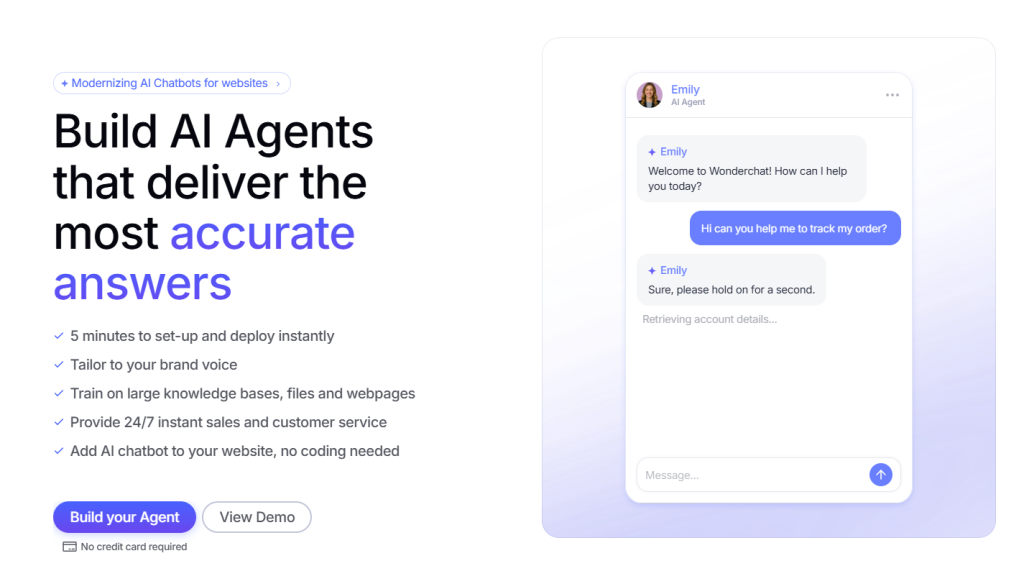
After the initial setup, Wonderchat lives or dies by how it behaves in everyday situations. There’s no learning curve hidden behind advanced menus. Most of its value comes from a small number of features that quietly do their job without demanding attention. That restraint is intentional and explains why Wonderchat feels approachable to business teams.
What Wonderchat Does Well
The strongest part of Wonderchat is how it treats existing content. Websites, help pages, and PDFs become the raw material for conversations, not something teams need to rewrite or restructure. Instead of building logic step by step, users rely on what’s already published and let the system turn it into answers.
The chat widget follows the same philosophy. It’s easy to embed and doesn’t try to dominate the interface. Visitors ask questions where they already are, and the chatbot responds without changing the flow of the page. Multi-page ingestion matters here, because most real products don’t keep all answers in one place. Pulling from several sections makes responses feel broader and less brittle.
Analytics stay simple. Conversation logs and repeated questions give teams enough insight to see what works and what doesn’t. There’s no heavy reporting layer, but for many teams, clarity beats depth.
Where It Fits Best
These choices shape where Wonderchat performs best. It works well for customer support deflection, where answering the same questions again and again slows teams down. It also fits early sales conversations, handling FAQs before a lead reaches a human. Internal knowledge use is another natural fit, especially when documentation exists but no one wants to search for it.
That’s why Wonderchat resonates most with small and mid-size teams. It prioritizes speed and predictability, not endless configuration, and that trade-off is often exactly what growing businesses want.
Wonderchat Pricing Explained
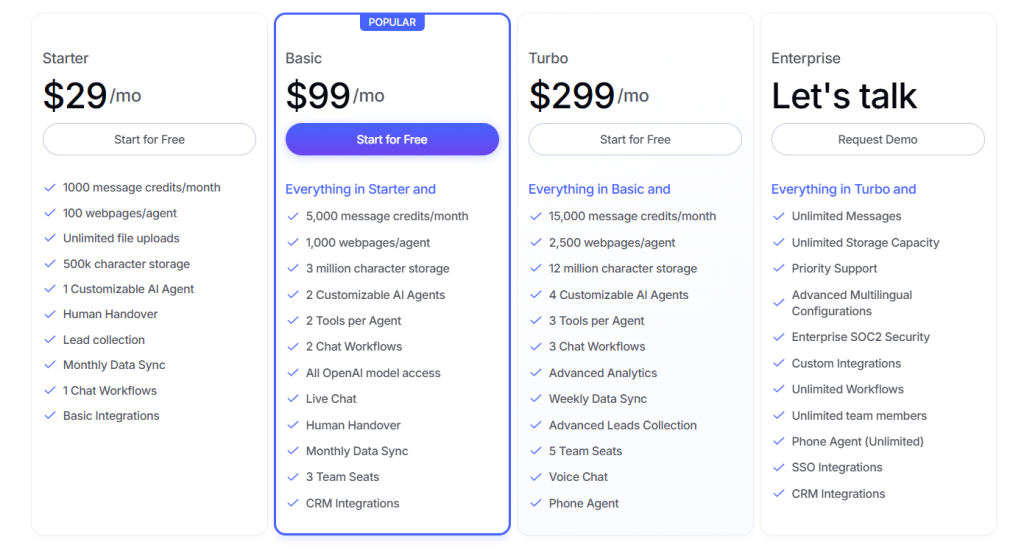
Pricing is one of the first places where expectations meet reality. On the surface, Wonderchat looks affordable. The details only become clear once usage starts to grow, which is why understanding Wonderchat pricing upfront matters.
Wonderchat offers a free plan meant mainly for testing. It allows one chatbot with tight limits on messages, a small number of webpages, and a short PDF quota. It’s enough to see how the system behaves, but not enough for real traffic.
Paid plans scale in clear steps:
- Starter – $29 per month, aimed at small sites with light usage and limited content.
- Basic – $99 per month, expanding message volume and the number of pages and PDFs the bot can read.
- Turbo – $299 per month, designed for busier support environments with heavier traffic.
- Enterprise – custom pricing, designed for teams running chatbots as a core support or sales channel. Limits, features, and usage are negotiated directly with Wonderchat.
What drives costs up isn’t complexity, but volume. More user messages mean more processing. More webpages and PDFs increase the knowledge base the chatbot has to scan and reference. As content libraries grow and traffic rises, teams often move through tiers faster than expected.
Strengths and Limitations You Notice Over Time
Wonderchat usually makes a strong first impression. Teams get something live quickly, users start asking questions, and support load drops almost immediately. That early success is real, but it doesn’t tell the whole story. The longer a chatbot runs, the clearer its strengths and limits become.
What continues to work well:
- Fast setup is the biggest win. There’s no waiting on engineers or long configuration cycles. A working chatbot appears fast, which matters when teams need relief right now.
- No-code onboarding lowers internal resistance. Non-technical staff can manage updates without creating bottlenecks or escalation chains.
- Predictable behavior builds trust. Because answers stay close to existing content, the chatbot rarely goes off-script or surprises users.
These qualities make Wonderchat feel reliable. It does one job and does it consistently.
Where friction slowly appears:
- Shallow memory becomes noticeable as conversations grow longer. The chatbot answers well in short bursts but struggles to carry context forward.
- Limited persona control restricts how much personality or nuance teams can introduce, which affects user engagement over time.
- Restricted logic makes it hard to support conditional flows or role-based responses.
- Platform dependency means pricing changes, feature limits, and roadmap decisions are out of the user’s control.
Scaling rarely breaks Wonderchat outright. Instead, it exposes a ceiling. Teams reach a point where convenience starts to conflict with flexibility, and that tension shapes the next decision.
When Teams Start Looking Beyond Wonderchat
Most teams don’t abandon Wonderchat because it fails. They move on because their needs change. What starts as a simple support assistant often turns into something closer to a product feature, and that shift exposes the limits of no-code tools.
The first signal is usually logic. Teams want the chatbot to behave differently depending on who is asking, what stage they are at, or what action they already took. Then memory becomes an issue. Short exchanges work fine, but longer conversations start to feel repetitive when context disappears too quickly. As usage grows, requests for role-based responses appear, followed by questions about integrations with CRMs, billing systems, or internal tools. Monetization is often the final trigger, especially when the chatbot becomes part of a paid experience.
At that point, the conversation changes. Instead of asking how to configure Wonderchat, teams start asking what else exists and whether they should build something themselves. That’s where Wonderchat alternatives enter the picture, not as replacements for what worked, but as the next step once simplicity is no longer enough.
Popular Wonderchat Alternatives Worth Considering
Once teams accept that no single tool fits every stage, comparisons become more practical. The question shifts from “what’s easiest to launch” to “what can grow with us.” That’s where alternatives to Wonderchat start to matter.
No-Code and Low-Code Tools
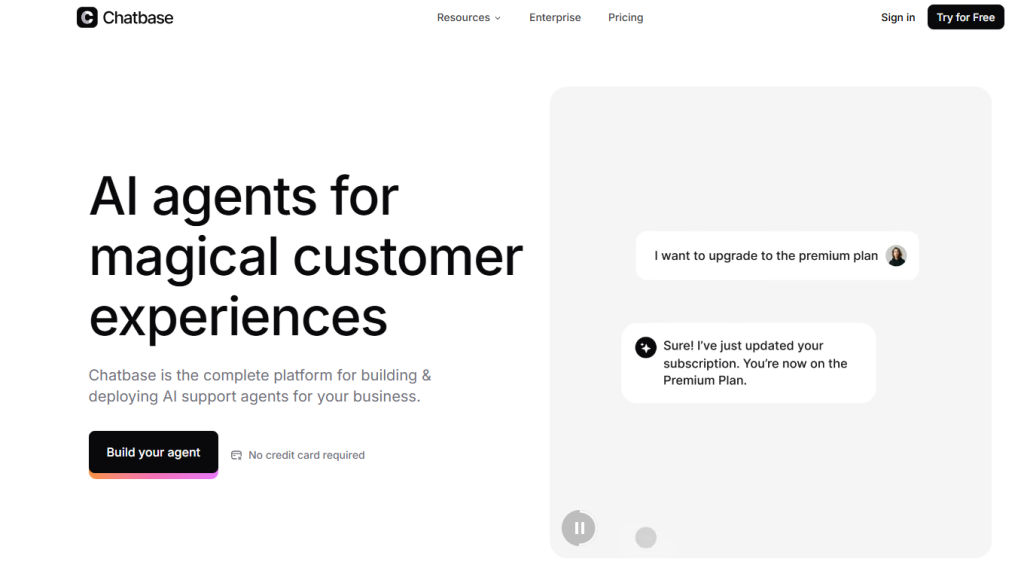
Several tools follow a similar philosophy to Wonderchat. They focus on speed, minimal setup, and using existing content as training material.
- Chatbase is often mentioned first. It offers fast website-trained chatbots and a clean interface, but customization stays shallow once conversations become complex.
- DocsBot AI leans heavily toward documentation and internal knowledge use. It works well for teams that want employees or users to query manuals and help centers, but it’s less flexible for conversational flows.
- Tidio AI blends live chat with automation, especially for ecommerce. It handles basic support tasks well, though much of its logic still relies on predefined rules.
- Botsonic feels closest to Wonderchat in setup. Websites and documents are ingested quickly, but deeper behavior tuning remains limited.
Semi-Custom and Custom Approaches
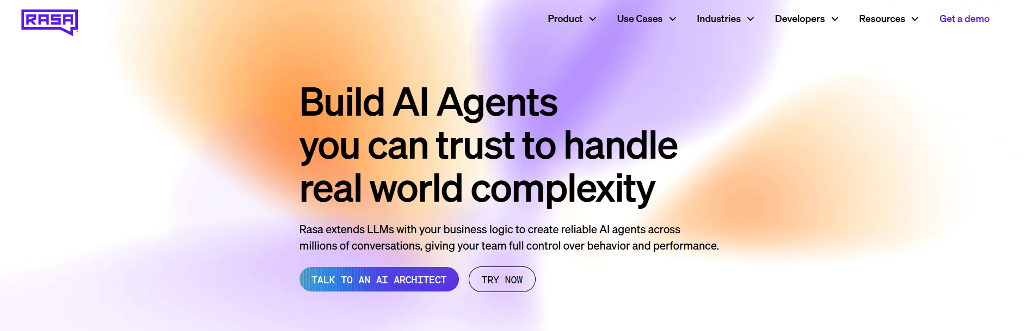
When flexibility becomes the priority, teams often look beyond no-code platforms.
- Rasa is a powerful open-source framework that allows full control over logic and data. The trade-off is clear: strong capabilities, but a heavy engineering commitment.
- Botpress sits between platforms and full custom builds. It offers modular logic and better control than no-code tools, while still abstracting some infrastructure work.
- Direct LLM builds using models like OpenAI, Claude, or open-source alternatives give teams complete ownership over behavior, memory, and integrations. They also demand responsibility for hosting, moderation, and scaling.
The pattern is consistent. Speed favors platforms. Ownership favors custom builds. Every alternative sits somewhere along that line, and choosing one depends on how much control a business is ready to take on.
Wonderchat vs Other Approaches at a Glance
The main difference between chatbot approaches comes down to how much control teams trade for speed. This comparison highlights where Wonderchat sits relative to other options.
| Approach | Setup Speed | Custom Logic | Memory | Ownership |
| Wonderchat | Fast | Limited | Short-term | Platform-bound |
| No-code tools | Fast | Low | Minimal | Platform-bound |
| Semi-custom | Medium | Medium | Configurable | Partial |
| Custom build | Slower | Full | Flexible | Full |
Building a Wonderchat Alternative with Scrile AI
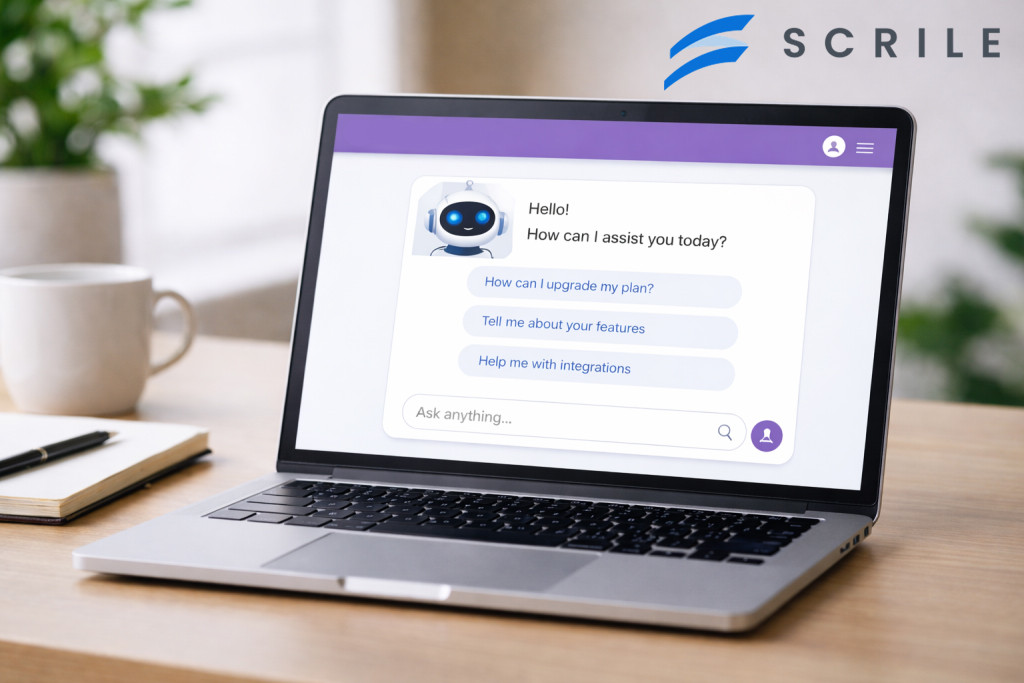
At some point, teams stop thinking of chatbots as tools and start treating them as part of the product. That shift changes the conversation. Instead of asking what a platform allows, the question becomes what the business actually needs to own and control.
This is where Scrile AI comes in. Scrile AI is not a ready-made chatbot or a plug-and-play service. It is a custom AI development service built for teams that want to design their own conversational systems from the ground up. The focus moves away from adapting to platform limits and toward shaping behavior around real business logic.
With Scrile AI, teams can define how conversations work at a structural level. That includes custom logic and workflows that go beyond static answers, deeper memory that carries context across sessions, and precise control over personas and tone. Behavior can be adjusted for different user roles, use cases, or products, rather than forced into a single pattern.
Integrations are part of the design, not an afterthought. Scrile AI supports connections to payment systems, internal tools, analytics, and external services, which opens the door to monetization and more advanced use cases.
For teams that have outgrown no-code tools, Scrile AI becomes the best solution to create a Wonderchat alternative that scales on their terms, with full ownership and long-term flexibility built in.
Conclusion
Wonderchat works well when speed matters more than flexibility. It helps teams launch an AI chatbot quickly, reduce repetitive questions, and get value without engineering effort. Over time, its limits become clearer. Memory stays shallow, logic stays narrow, and customization hits a ceiling. That doesn’t make Wonderchat a bad choice. It makes it a starting point. For businesses that want chat to evolve into a real product feature, custom development lasts longer. Explore Scrile AI services if your team is ready to move from convenience to control.
Related guides
- AI Avatar Generator in 2026: Use Cases & Tips
- AI Character Creator: Build a Persona That Scales in 2026
- How to Promote Your AI Companion Website in 2026
- How Creators Use AI to Sell More Content and Engage Fans
FAQ
How much does Wonderchat cost?
Wonderchat offers a free plan with one chatbot, limited messages, and small page and PDF quotas. Paid plans scale by usage: Lite at $29 per month, Basic at $99, Turbo at $299, and Enterprise per custom price, each increasing message limits and content capacity.
Is Wondercraft AI good for beginners?
Wondercraft AI is beginner-friendly, but it serves a different purpose. It focuses on audio creation and content production rather than chatbot automation or customer support.
What can I create with Wondercraft?
Wondercraft is an audio-focused creative studio. Teams typically use it to produce podcasts, narrated content, and internal or marketing audio, not conversational AI chatbots.
