
6 Best AI PowerPoint Summarizer Tools in 2026
Looking to save time and create clearer presentations? Here are the best AI PowerPoint summarizer tools you can use in 2026. These smart tools utilize AI to summarize slides, outlines, and content creators. So, entrepreneurs and educators save time and increase their productivity.

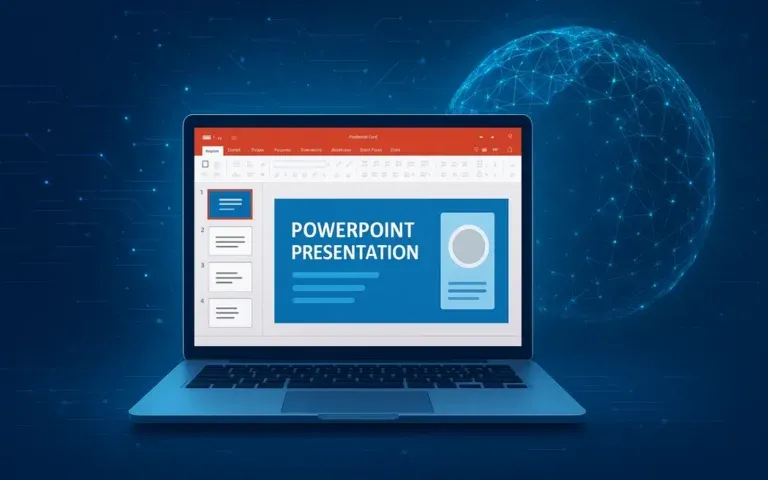
AI PowerPoint Summarizer
Why Do You Need AI for Presentations?
There are many opinions on how to make a great PowerPoint presentation. As with creating any type of digital content, there are some people who feel that creating an engaging presentation is an art, while others think it’s a science. There are two sides to this coin. A visually appealing slide is essential for the overall success of the presentation and should also capture the attention of the audience. However, creating slides can be time-consuming and daunting if you’re preparing slides for a long report or presenting a complicated concept. An AI PowerPoint summarizer is designed to ease that burden off your shoulders, which allows you to focus on your message.
AI PowerPoint Summarizer Advantages
Using AI to summarize slides AI isn’t just about saving time. It helps you completely change your approach to preparing and delivering presentations. The standard method of reading dozens of slides or skimming through long blocks of text becomes obsolete when you use an AI slide summarizer. The point is that AI quickly and accurately sifts through the material to locate the most important points. With an AI slide summarizer, you will be able to see the entire picture of your presentation at once, highlight the key points, and create a slide deck that is laid out more logically than ever before.
There are many opinions on how to make a great PowerPoint presentation. As with creating any type of digital content, there are some people who feel that creating an engaging presentation is an art, while others think it’s a science. There are two sides to this coin. A visually appealing slide, which should be easy to understand and have some degree of substance as well, is essential for the overall success of the presentation.
Another key advantage of an AI PowerPoint summarizer is consistency. As founders, young entrepreneurs, and creators of content, we tend to rush and miss the details when creating our slides. Having a tool such as those offered through the use of an AI PowerPoint summarizer ensures that we keep a consistent style and tone. No more worrying about how to adjust the fonts and formatting between the different types of content we are creating for our business.
In short, an AI PowerPoint summarizer doesn’t just automate a task; it elevates your workflow. By letting AI do the heavy lifting, you can focus on what truly matters: connecting with your audience and delivering your message with clarity.
How Does an AI PowerPoint Summarizer Work?

The Use of an AI PowerPoint summarizer can seem to be like a wonderful piece of software: load your slides into the program. Hit the “go” button and bam! You see all your points and concepts summarized for your audience.
The magic is in the way that AI generates summaries from uploads of presentation materials. There is a step-by-step process from start to finish that converts your presentation material into actionable, simple summaries to help with creating a good presentation preparation plan.
Step 1: Text Extraction
Once you provide the AI with your presentation, the first thing it will do is extract all the text from your presentation. AI does this by scanning and analyzing titles, bullet points, notes, and any other text that is embedded into image files with the use of OCR technology. This process will make sure that everything is collected in one place so that the summaries generated by AI will be very accurate.
Step 2: AI Analysis
After text collection, AI analyzes using natural language processing to detect main ideas, supporting details, and relationships. With this information, the computer now “understands” your slide content instead of just imitating it. The computer detects redundancy and trends based on your PowerPoint slides and recognizes the tone of your work, resulting in more naturally flowing, readable output.
Step 3: Summary Generation
With AI generating your summary, you’re able to simplify your slides into a comprehensive outline or provide ready-to-use speaker notes. The summarization tool allows you to adjust the word count and style to meet your own requests. You can create a quick and easy way for people to follow your presentations without losing the original intent.
The downside to AI-summarized content is that it isn’t 100% accurate. As such, please research what is in an AI-generated summary before using it for presentations. Because of this, it is very beneficial to use the time spent creating the presentation wisely so that there are no important details left out.
Even so, using AI to summarize slides AI drastically reduces the time spent preparing presentations and ensures that nothing important slips through the cracks.
By understanding these steps, it’s easier to see why a PowerPoint summarizer or PPT summarizer can be an indispensable tool for modern professionals and creators.
Best AI PowerPoint Summarizer Solutions for 2026

More people are using AI tools daily, leading to an increase in PPT summary tools looking for your business. In 2026, there are many different options available to meet your specific needs. We have grouped them into various categories, based on their primary purpose, so you can find one that best suits your needs.
| Tool | What it does best / Standout feature |
| MyMap.AI | Summary of PPT quickly generated. Ability to share and to edit. Excellent platform for teams or collaborative work on. |
| Decopy | Summaries can include graphs/tables and can provide multi-tiered organizations. A valuable offering for complicated slides. |
| EasySlides.ai | Your workflow is very easy. You have a free drag and drop and generate a summary with no effort, excellent for fast overviews of your slides. |
| Knowt | Summarizes slides quickly while assisting users in creating study materials. |
| Noiz and Skimming.ai | Easy-to-use tools that make it easy to create simple summary slides using bullet point format as opposed to complex bullet points with numerous design elements. |
Why These Tools Stand Out in 2026

Speed and Simplicity
Tools like EasySlides.ai or Noiz highlight how effortless summarization can be. With just a PPT upload, you get a neat summary; no login, no complex setup. That “instant result” factor is huge, especially when you’re cramming for a meeting or prepping last minute.
Flexibility and Adaptability
Some tools offer different summary formats: bullet points, mind map-style outlines, or even flashcards (handy for students). MyMap.AI and Knowt, for instance, let you not just get a summary but also reshape it, share it, or turn it into study or meeting materials.
Support for Complex Content
The types of presentations that have various charts, tables, multi-column layouts, and visuals can be very difficult to convey. And thus, complex tools or software will play an essential role in decoding the structure and design and making these presentations easier to summarize. One such tool is Decopy, which will help you to decode all of this.
Affordability and Accessibility
In 2026, many of these tools will be available for free on free tiers. Therefore, small businesses will have the same access to tools as large businesses. And this will allow entrepreneurs, small business owners, freelancers, students, and anyone who needs to summarize their presentations quickly without a lot of previous experience using PowerPoint.
Limits and What to Watch Out For
- If the content is too lengthy or dense, important details may be left out from the summary.
- When the slides contain graphics or diagrams in addition to complex formatting, sometimes AI cannot deliver the appropriate context.
- If you want to maintain a custom tone or structure, autogenerated summaries will most likely come across as too generic.
A good application for AI summarizers is to create a rough draft that you polish or rework according to your preference.
Applications in Business and Education

While AI PowerPoint summary tools are great because of their convenient nature, they also change the way people learn and complete tasks. If you run a start-up or teach a class about content creation, then the use of an AI PowerPoint summarizer allows you to focus on the ideas you need to communicate.
Business Use Cases
When you work in a business environment, you will find that time is everything. An AI PowerPoint summarizer allows you to take long, detailed reports, sales presentations, or strategic plans and condense them into smaller pieces of information. This allows executive team members to quickly and easily view only the key points in the document, rather than having to spend an excessive amount of time scrolling through pages of slides looking for relevant information.
Using information flow via meetings will create clarity and repetition in communications both internally and externally. Thus creating:
- Internal meetings. Reducing the amount of information passed back and forth during a meeting.
- Marketing and sales. Quickly creating persuasive summaries for a new client or pitch.
- Training materials. Assists in converting multiple pages of content, for example, the product manual, into slides.
By applying these options, you will be able to save time, improve communication, and create better results for both internal and external clients. Content creators and entrepreneurs can create quality materials without the time constraints.
Education Use Cases

Students and teachers benefit from this technology. The information presented in lectures or in research notes can be confusing and difficult to sort through; summarizing software turns that information into clear and simple outlines or study guides.
- Lecture summarization: Highlight essential points without losing context.
- Study guides: Convert slides into notes or flashcards for faster learning.
- Research presentations: Condense complex findings for easier explanation and discussion.
Using artificial intelligence allows both students and teachers to spend less time copying and formatting and concentrate on creating and understanding information.
Why It Matters Across Fields
No matter the context, the benefits are clear: productivity increases, communication improves, and critical information isn’t lost in a sea of text. An AI PowerPoint summarizer and tools that summarize slides AI give professionals and learners a serious edge, allowing them to stay organized, efficient, and confident. Here we will take an overall look at the Scrile AI platform.
Imagine a solution that provides you with an ability to not only summarize PowerPoint slide content via AI but also allows your presentation to adapt the way you would prefer it and integrates with all of your applications.
Rather than having to use multiple platforms to create your presentation, all of these features are provided by an integrated presentation solution, which simplifies your workflow and improves your ability to present clear and concise information. It’s these types of efficiencies that are offered by the efficiency created by Scrile AI.
Scrile AI: Create an AI Presentation Tool
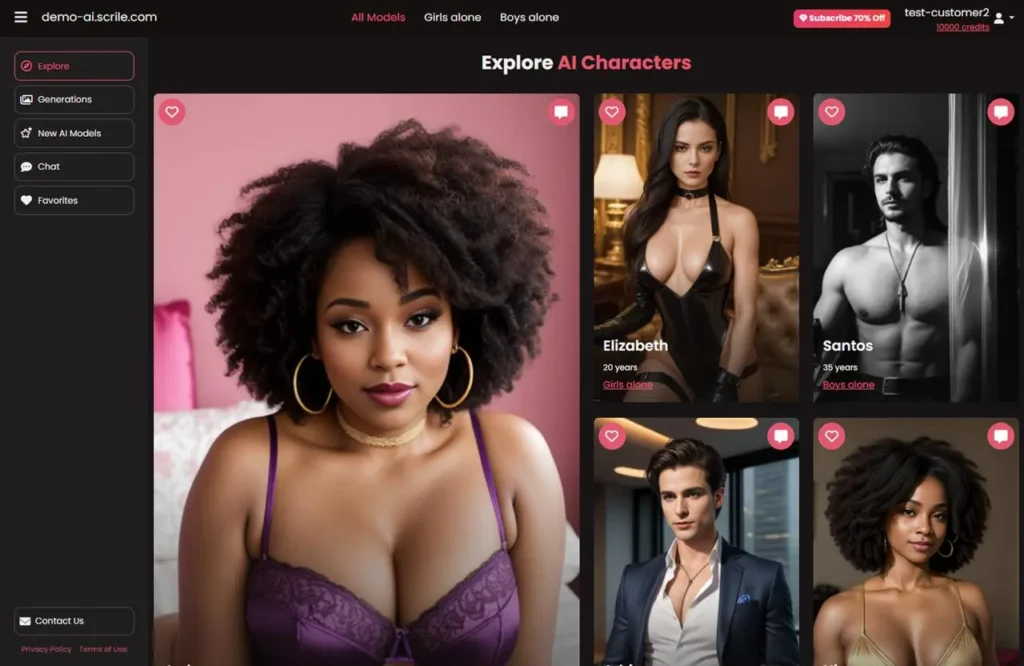
Scrile AI is designed for modern professionals and content creators who need more than a basic PPT summarizer. The speed, accuracy, and flexibility of Scrile AI allow you to quickly extract and summarize the most relevant slides from your presentations into concise, actionable summaries.
Key Features
- Instant slide summarization.
- Customizable summaries.
- Large file support.
- Flexible integration.
With Scrile AI, you can create your own AI PowerPoint summarizer. Power your solutions, enhance your presentations, and save valuable time.
Conclusion: AI PowerPoint Summarizer

Presentation AI PowerPoint Summary is no longer a “sci-fi” concept. It has evolved into a very real product that allows you to save time and deliver messages more clearly by enhancing your message and increasing your productivity. If you’re an online content creator, a beginning entrepreneur, or an educator, an AI PowerPoint summary tool can provide the focus for three vital points: your message, your audience, and your creativity.
AI PowerPoint summary tools allow users to automate the laborious portions of preparing their presentations. Therefore, they can convert many slides into concise, clear outlines and speaker notes in a matter of seconds. Tools that summarize slides AI empowers you to stay organized, communicate effectively, and present confidently.
Whereas other companies only provide you with a summarized version of your presentation, Scrile AI will help you plan, create, and execute your presentation. Contact our team now to see how you can launch your own PPT summarizer using Scrile AI.
Related guides
