
Top 5 Tools for OnlyFans Posting Schedule
Cut admin time and keep your subscribers engaged with a smart OnlyFans posting schedule. In this guide, we review five tools — from native scheduling to AI-driven planners — and explain why Scrile Connect’s customizable development service gives creators the real business edge.

onlyfans posting schedule
Managing an OnlyFans posting schedule often feels like running a second job. You shoot content, polish captions, then sit around waiting for the “right time” to hit publish. Hours disappear into admin work, and that’s time you could spend building real connections with fans or creating the kind of content that actually makes money.
This is why scheduling tools matter. They don’t just save clicks — they cut the dead weight out of your workflow. Auto-publishing means you can stack up a week’s worth of posts in one sitting and walk away. Analytics show you what times your audience is most active, so you stop guessing and start posting with purpose. And payout automation takes the sting out of long waits, giving you predictable income that matches your schedule, not the platform’s.
Think about it as a business move, not a luxury. The more consistent you look to your subscribers, the higher your engagement stays. The less you waste on manual uploads, the more energy you’ve got for actual growth.
2026 update: scheduling is now a resilience strategy, not just consistency
In 2026, posting schedules matter less as “algorithm magic” and more as a system that prevents burnout and stabilizes revenue. Add a short note that creators should design a schedule around repeatable production (batching, templates, reuse across channels) and build owned channels (email/CRM/site) so income isn’t fully exposed to platform visibility changes.
You can also add a one-line “market signal” that the platform economy is maturing fast (OnlyFans is reportedly in talks to sell a majority stake), which is why diversifying and owning the audience relationship matters.
In this article, we’ll break down five tools that reshape how creators plan and release content — ending with one option that goes beyond scheduling and lets you build your own customized ecosystem: Scrile Connect.
Creator Note: If OnlyFans Scheduling Feels Like a Ceiling, Build Your Own Hub
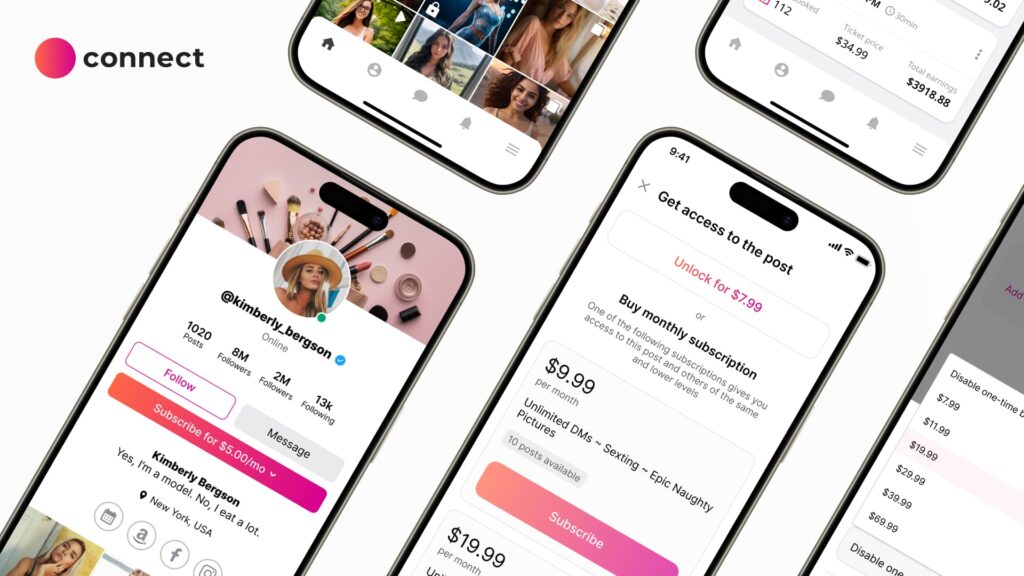
If you’re serious about scaling, here’s the uncomfortable truth: scheduling inside OnlyFans is helpful — but it also keeps you locked into platform limits (payout timing, fees, branding, and rules you can’t control). Tools can optimize your posting schedule, but they can’t give you ownership.
Scrile Connect is the “step beyond tools.” It’s a customizable development service that helps you launch your own subscription platform — with an advanced content calendar, automated posting workflows, and payout rules you control. That means your posting schedule becomes part of a real business system: branded UX, smarter monetization flows (subs, PPV, tips), and no dependency on OnlyFans changing the rules overnight.
See what a branded OnlyFans-style hub looks like with a real content calendar + flexible payouts.
| Tool ⚙️ | What It Does for Your Schedule 📆 | Best For 🙋♀️ | Key Limits ⚠️ |
|---|---|---|---|
| OnlyFans Native Scheduling | Basic built-in queue: lets you pre-load posts so your feed looks active even when you’re offline. | New creators who just want to stay consistent without extra tools. | No analytics, no real calendar view; you stay fully locked into OnlyFans’ rules and payout timings. |
| Supercreator | AI-driven timing and analytics: studies past posts and auto-suggests the best hours to publish. | Creators who want data-based posting times and less trial-and-error with their content schedule. | Extra subscription cost; you still depend on third-party software and platform rules for payouts. |
| Social-Rise Insights | Shows when fans are most active and auto-schedules content across OnlyFans and social media. | Creators who promote heavily on Twitter / socials and want a single place to plan all posts. | Focuses on timing and promotion, but doesn’t solve ownership or payout control issues. |
| Bunny Agency & other workarounds | Step-by-step guides that teach you how to batch and schedule posts inside OnlyFans itself. | Beginners who want a free, simple routine for keeping their feed active while they learn the basics. | Still very manual, no advanced analytics or automation; once you grow, it quickly feels limiting. |
| Scrile Connect 🧩 | Custom subscription site with an advanced content calendar, posting automation and flexible payout rules. | Scaling creators and agencies who want their own branded hub instead of relying only on OnlyFans. | Requires launching your own platform, but in return you gain full control over branding, schedule and revenue. |

Why Posting Consistency Beats Viral Luck

A lot of new creators hope for that one viral post to blow up their profile. But on a subscription platform, spikes don’t matter nearly as much as stability. Fans aren’t paying for one-off moments — they’re subscribing to a steady flow of content they can rely on. That’s why a consistent OnlyFans posting schedule will always beat chasing viral luck.
Subscribers join with expectations. If they check your feed and see gaps of three or four days, it signals inactivity. Miss too many uploads, and cancellations follow. On the other hand, showing up with predictable drops — even if they’re smaller updates — builds trust and keeps revenue steady.
Here’s what consistency really does for you:
- Retention: fans stick around longer when they know new content is coming.
- Tips and upsells: regular activity keeps you at the top of their feed, boosting visibility.
- Fewer cancellations: steady uploads reduce churn from subscribers who feel neglected.
The business side of OnlyFans rewards reliability. Creators who post regularly see higher average earnings per subscriber, not because each post goes viral, but because they keep fans engaged month after month. Viral content might bring attention, but consistency is what secures long-term income.
Tool #1 — OnlyFans Native Scheduling
So, can you schedule posts on OnlyFans? Yes — the platform has a built-in scheduler that lets creators set up content in advance. You can upload a photo set, video, or pay-per-view post, then pick the exact day and time it should drop in your OnlyFans feed. On a basic level, this keeps your profile looking active even if you’re not online.
Here’s what the native scheduling tool gives you:
- Upload content and lock in a future publish date.
- Line up multiple posts at once.
- Mix content types into the same queue.
For example, a creator planning a weekend trip can load Friday night’s teaser, Saturday’s clip, and Sunday’s behind-the-scenes shots all at once. While they’re offline, fans still see a steady flow of content — exactly as if the creator was posting live.
But the built-in scheduler is limited. There’s no real OnlyFans posting schedule dashboard — just a queue that becomes messy if you’ve stacked too much content. No analytics either, which means you’re still guessing when fans are most engaged. Bunny Agency notes another drawback: scheduling ahead can kill spontaneity. If you capture a perfect selfie an hour before your scheduled drop, you’re stuck either delaying it or flooding your feed.
It works fine as a starter option, but serious creators soon realize they need something smarter. Native scheduling is useful, but it’s not a full system — it’s just the basics.
Tool #2 — Supercreator: AI-Driven Automation
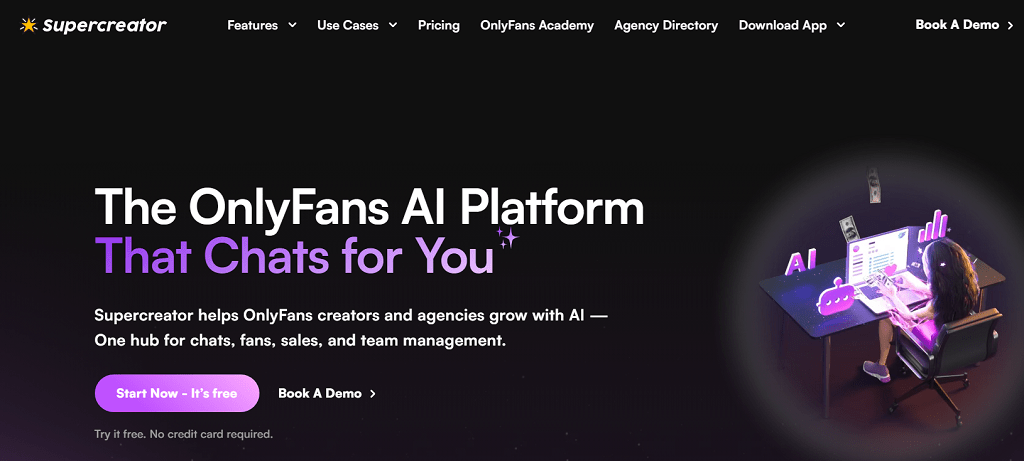
If the native scheduler is the training wheels, Supercreator feels more like a real studio assistant. It’s an AI-powered tool built to help creators plan, time, and release content with less guesswork. Instead of dropping posts blindly, it uses data to figure out when your audience is actually online and ready to engage.
The main strengths of Supercreator are clear:
- Analytics: it studies past performance and shows what type of content hit best.
- Smart timing: it predicts the hours when subscribers are most active.
- Personalized recommendations: it tailors suggestions around your posting habits and fanbase.
Scheduling is where it really shines. You don’t just stack posts in a queue — the tool adapts them to peak subscriber hours. For example, if half your audience is in Europe and the other half in the U.S., Supercreator won’t have you posting at 3 a.m. for one group and missing the other entirely. It balances across time zones, something the basic app doesn’t even attempt.
The benefit is obvious: less trial and error. Instead of constantly adjusting your strategy, you rely on data-driven timing. That turns your OnlyFans content calendar into something automatic. A week’s worth of uploads can be arranged in one sitting, optimized for when your subscribers are awake, scrolling, and ready to spend.
For creators treating their work like a real business, this is a serious upgrade. Supercreator makes an OnlyFans posting schedule feel less like a chore and more like a growth tool — freeing up energy for content creation while keeping your feed consistent.
Tool #3 — Social-Rise Insights: Timing is Everything
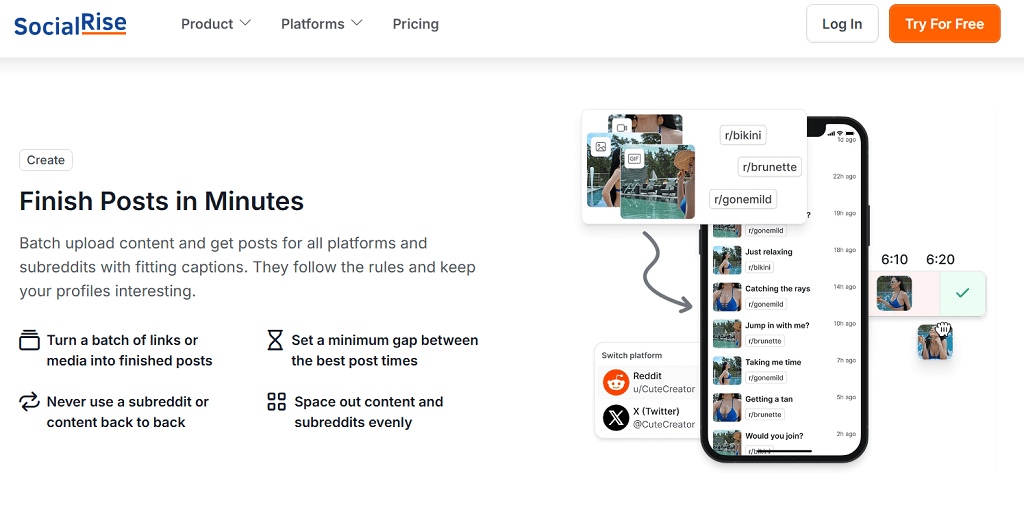
When creators ask, when is the best time to post on OnlyFans, Social-Rise answers with data — and then helps you act on it. Their research shows that for U.S. subscribers, engagement spikes after 6 PM EST, especially on weeknights. But instead of leaving you with a static chart, Social-Rise goes further by generating and scheduling posts across your socials in just a few clicks.
Here’s what makes it stand out:
- Smart scheduling: posts are automatically sent out during peak hours, so you don’t have to think about timing.
- Cross-platform planning: manage both OnlyFans and connected socials in one place.
- Tracking: see which posts actually worked and adjust future timing.
The result is less manual promotion and more consistency. Imagine drafting a week of content on Sunday night, then letting Social-Rise drip it out at the exact hours your audience is most likely to be online — Tuesday evenings, late Saturday nights, or weekend mornings when traffic spikes.
For creators who struggle with consistency, this is huge. You stop worrying about alarms and reminders, and your OnlyFans posting schedule becomes part of a bigger, data-backed content rhythm.
By combining analytics with automation, Social-Rise takes the guesswork out of timing. You don’t just know the best time to post on OnlyFans — the tool makes sure you actually hit it.
Tool #4 — Bunny Agency & Other Scheduling Workarounds

Bunny Agency keeps it practical with a guide that walks creators through scheduling posts directly inside OnlyFans. It’s not an external app, but rather a step-by-step on how to get the most from the platform’s own scheduling function. For creators just starting out, that’s a helpful resource. You learn how to line up multiple posts, pick exact publish times, and keep your OnlyFans feed active even while you’re offline.
The benefits are easy to see:
- Batch uploads: stack a week of content in one sitting.
- Precise scheduling: set the exact day and time for each drop.
- Keeps you visible: fans see regular updates even when you’re away.
But there are drawbacks. Everything still feels manual — no drag-and-drop calendar, no integration with external planners, and no instant payout features tied to your scheduled posts. If you want deeper automation or analytics, you’ll quickly run into a wall.
That’s why many creators also look at tools like OnlyFans or Fanvue Pro. Both expand on the native system with better dashboards and some automation. Still, they’re platform-locked. You don’t really “own” your posting flow, you just work within the rules and limits those apps set. For small creators, that might be enough. For anyone running OnlyFans as a business, it feels restrictive fast.
Bunny Agency’s walkthrough is valuable for learning the ropes and building a routine, but once you scale, you’ll want more freedom than these workarounds offer. That’s where customizable solutions start to make sense — a proper OnlyFans posting schedule that adapts to your strategy, not just the platform’s.
Tool #5 — Scrile Connect: Customizable Development Service
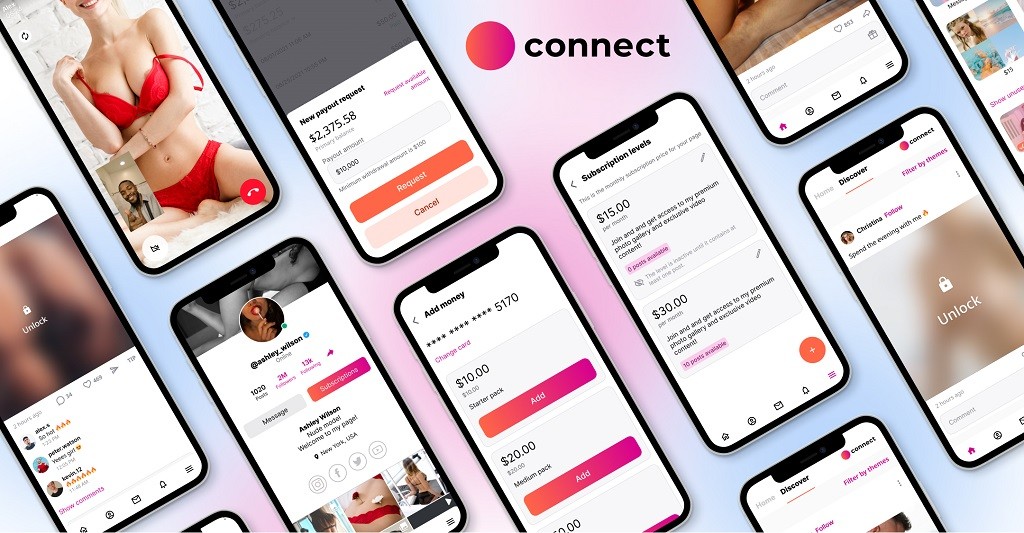
Most tools help you work inside someone else’s platform. Scrile Connect is different — it’s not a platform at all, but a development service that builds your own subscription hub from the ground up. Instead of shaping your content around preset dashboards like OnlyFans Studio or Fanvue Pro, you get a solution that adapts to you.
Why Scrile Connect Stands Out
Scrile Connect gives creators and agencies something the mainstream apps never will: ownership. That starts with full interface customization. You decide on the logo, colors, domain, and even the layout. Fans don’t see another cookie-cutter platform — they see your brand.
Key advantages include:
- Integrated OnlyFans posting schedule functions with an advanced content calendar.
- Automatic payouts — you decide payout terms, instead of waiting weeks for platform delays.
- Monetization logic under your control: subscriptions, bundles, pay-per-view, tips, or custom packages.
This flexibility matters because it turns posting into part of a bigger business system. Instead of asking “when can I get paid?” or “will the algorithm boost me?”, you run everything on your terms.
Beyond Platform Limits
Compare that to Fanvue Pro or OnlyFans Studio. Both offer schedulers, but your growth still depends on their rules, fees, and payout cycles. With Scrile Connect, there’s no commission cuts or platform branding overshadowing your own. You’re not renting space — you’re building an ecosystem.
For creators scaling fast or agencies managing multiple talents, the real-world benefit is clear:
- No middleman holding revenue.
- No generic interface killing your brand identity.
- No ceiling on how you design your content flow.
Scrile Connect isn’t just about an OnlyFans posting schedule — it’s about building the infrastructure for long-term ownership and independence. That’s why it’s the strongest tool on this list: not another workaround, but a foundation.
Conclusion: Take Control of Your Schedule, Take Control of Your Business
A smart OnlyFans posting schedule does more than keep your feed tidy. It gives you back hours that would otherwise vanish into uploads and reminders. It keeps fans engaged even when you’re offline. It frees up headspace to focus on what actually drives income — creating content and building relationships with subscribers.
Native tools help at the surface level, and third-party apps add analytics and automation. But in the end, you’re still inside someone else’s system, paying fees, waiting on payouts, and working around limitations.
That’s why Scrile Connect is the real business edge. Instead of patching together tools, you get a fully customizable development service that builds your own branded platform. Advanced content calendars, automatic payouts, and complete control over monetization aren’t extras — they’re the foundation.
If cutting admin time and scaling income are your goals, the solution isn’t another temporary fix. It’s ownership. Reach out to the Scrile Connect team today and start building a posting system that truly works for you.
FAQ: OnlyFans Posting Schedule, Best Time to Post & Management Tools
Can you schedule posts on OnlyFans?
Yes. OnlyFans has a built-in schedule posts feature that lets you upload content in advance and set the exact date and time it goes live. You can queue photo sets, videos, pay-per-view posts and free updates so your feed stays active even when you are offline. A solid OnlyFans posting schedule built around this tool means you can batch content once or twice a week and spend the rest of your time chatting with fans, filming, or handling other parts of your business.
How do I schedule posts on OnlyFans using the native feature?
To schedule a post directly in OnlyFans, create a new post as usual (add your media, caption and price if it’s PPV), then look for the scheduling option before publishing. Choose the date and time when you want the post to go live, confirm, and OnlyFans will add it to your queue. You can repeat this for multiple posts in one sitting, effectively building a simple OnlyFans content calendar inside the app. The downside is that the queue view gets messy when you stack a lot of posts, and there’s no real calendar or analytics, which is why many creators layer third-party tools on top.
Is the OnlyFans schedule posts feature enough, or do I need extra apps?
The native scheduler is perfect for beginners: it lets you pre-load posts, keep the feed active and avoid last-minute uploads. Once you grow, its limits show: no real calendar, no smart time suggestions, no cross-platform planning and no way to connect posting with payouts or automation. At that stage, creators usually add tools like Supercreator or Social-Rise for analytics and timing, and eventually move to their own platform (for example, a Scrile Connect site) where scheduling, posting and payouts are part of one system instead of scattered across apps.
What’s the best OnlyFans manager for keeping subscribers engaged and cutting churn?
The “best” OnlyFans manager is any setup that keeps your feed consistent and your fans regularly reminded why they stay subscribed. For many creators this means combining the native OnlyFans scheduler with an external planning tool like Supercreator (for analytics and AI timing) or Social-Rise (for cross-platform promotion). If you manage multiple models or run OnlyFans like a full business, the article explains why moving to a custom Scrile Connect platform is the real upgrade: you get an advanced content calendar, automated posting, custom notifications and flexible payout logic under one roof, which is exactly what reduces churn over time.
What’s the best OnlyFans management setup for creating posting calendars?
If you only manage your own profile, a simple mix works well: plan your week in a calendar tool (Google Calendar, Notion, etc.), then use OnlyFans native scheduling to queue posts and a helper like Social-Rise or Supercreator to fine-tune timing. Agencies and bigger creators usually outgrow this and need something more structured: a dashboard that shows all upcoming posts, content types and performers in one place. This is where a custom platform built on Scrile Connect becomes useful, because the posting calendar, automations and model management features are designed around your workflow, not around someone else’s app limits.
What is the best time to post on OnlyFans?
There’s no universal magic hour, but data from tools like Social-Rise show clear patterns. For U.S.-based audiences, engagement often spikes after 6 PM EST on weekdays and during weekend evenings, when subscribers are relaxed and scrolling. The article recommends treating these as starting points: test a few time slots for 2–3 weeks, then adjust based on which posts get the most opens, likes and tips. If your fans are spread across time zones, using analytics-driven tools or your own platform’s stats is the only reliable way to hit everyone at their local “prime time”.
How often should I post content on OnlyFans to keep subscribers happy?
Most established creators aim for two to three posts per day: a mix of quick updates, teasers, and heavier content like full photo sets or videos. That rhythm keeps you visible in your subscribers’ feeds without overwhelming them. Many save their strongest content for weekends, when traffic peaks, and rely on scheduled posts during busy weekdays. If you are new, posting more frequently for a short period can help you get noticed faster — just make sure the schedule you choose is realistic to maintain once the initial burst of energy fades.
How does a posting schedule help me promote OnlyFans faster?
A clear schedule doesn’t just keep OnlyFans itself active — it also powers your promotion on X (Twitter) and other socials. When you know which days and hours your OnlyFans drops are coming, you can auto-schedule teasers on social media a few hours before and after. Instead of scrambling for last-minute tweets, you build a mini launch sequence around every good post: teaser, drop, reminder. Tools like Social-Rise are made for this, and a custom Scrile Connect site can tie your internal calendar directly to outbound promo, so promotion becomes automatic instead of chaotic.
When should I move from OnlyFans scheduling to my own subscription platform?
Native scheduling and third-party tools are great while you’re building your first audience. It’s time to consider your own platform when you feel capped by OnlyFans’ limits: long payout delays, no control over fees, no ability to fully customize your posting calendar or automate upsells around each drop. In the article, Scrile Connect is presented as the next step for serious creators and agencies: you get a branded site with an advanced content calendar, automated posting logic, flexible payouts and business rules designed specifically for your niche.
What should an effective OnlyFans posting schedule include in 2026?
A good schedule is more than random queued posts. In 2026 it usually includes: a weekly content plan (what you’re posting and why), time slots based on real analytics, a mix of free updates and paid drops, scheduled DMs or mass messages, and promo posts on social media around each release. Ideally, your tools support all of this: OnlyFans-native scheduling for the basics, analytics-driven apps like Supercreator or Social-Rise for timing, and — when you’re ready — a Scrile Connect platform that turns your posting schedule into part of a full business system with automation and custom payouts.
Read also
| Article | Why it’s worth reading |
|---|---|
| 8 Best Onlyfans Tools & Management Software For Creators | If you or your models work with OnlyFans, this overview shows which tools help with scheduling, analytics, DMs, and automation so you don’t lose hours on manual routine. |
| How to Hire Webcam Models in 2026 | Adult Site Guide | If you’re building a webcam platform or agency, this guide walks through sourcing, screening, onboarding, and retaining models — plus what they expect from a modern platform. |
| How to Drive Traffic to Your Fan Subscription Site or Webcam Site | Once you have creators and content, you need visitors. This article covers traffic channels, promo strategies, and funnels tailored specifically for fan and cam sites. |
| Top 5 P2P Video Streaming SaaS 2026 | If streaming quality and costs are a bottleneck, this piece explains how P2P streaming SaaS can reduce bandwidth expenses and improve performance for high-traffic live sites. |
